
Level plots and contour plots
levelplot.RdDraws false color level plots and contour plots.
Usage
levelplot(x, data, ...)
contourplot(x, data, ...)

# S3 method for class 'formula'
levelplot(x,
          data,
          allow.multiple = is.null(groups) || outer,
          outer = TRUE,
          aspect = "fill",
          panel = if (useRaster) lattice.getOption("panel.levelplot.raster")
                  else lattice.getOption("panel.levelplot"),
          prepanel = NULL,
          scales = list(),
          strip = TRUE,
          groups = NULL,
          xlab,
          xlim,
          ylab,
          ylim,
          at,
          cuts = 15,
          pretty = FALSE,
          region = TRUE,
          drop.unused.levels =
              lattice.getOption("drop.unused.levels"),
          ...,
          useRaster = FALSE,
          lattice.options = NULL,
          default.scales = list(),
          default.prepanel =
              lattice.getOption("prepanel.default.levelplot"),
          colorkey = region,
          col.regions,
          alpha.regions,
          subset = TRUE)

# S3 method for class 'formula'
contourplot(x,
            data,
            panel = lattice.getOption("panel.contourplot"),
            default.prepanel =
                lattice.getOption("prepanel.default.contourplot"),
            cuts = 7,
            labels = TRUE,
            contour = TRUE,
            pretty = TRUE,
            region = FALSE,
            ...)

# S3 method for class 'data.frame'
levelplot(x, data = NULL, formula = data, ...)

# S3 method for class 'data.frame'
contourplot(x, data = NULL, formula = data, ...)

# S3 method for class 'table'
levelplot(x, data = NULL, aspect = "iso", ..., xlim, ylim)

# S3 method for class 'table'
contourplot(x, data = NULL, aspect = "iso", ..., xlim, ylim)

# S3 method for class 'matrix'
levelplot(x, data = NULL, aspect = "iso",
          ..., xlim, ylim,
          row.values = seq_len(nrow(x)),
          column.values = seq_len(ncol(x)))

# S3 method for class 'matrix'
contourplot(x, data = NULL, aspect = "iso",
            ..., xlim, ylim,
            row.values = seq_len(nrow(x)),
            column.values = seq_len(ncol(x)))


# S3 method for class 'array'
levelplot(x, data = NULL, ...)

# S3 method for class 'array'
contourplot(x, data = NULL, ...)
Arguments
- x
for the
formulamethod, a formula of the formz ~ x * y | g1 * g2 * ..., wherezis a numeric response, andx,yare numeric values evaluated on a rectangular grid.g1, g2, ...are optional conditional variables, and must be either factors or shingles if present.Calculations are based on the assumption that all x and y values are evaluated on a grid (defined by their unique values). The function will not return an error if this is not true, but the display might not be meaningful. However, the x and y values need not be equally spaced.
Both
levelplotandwireframehave methods formatrix,array, andtableobjects, in which casexprovides thezvector described above, while its rows and columns are interpreted as thexandyvectors respectively. This is similar to the form used infilled.contourandimage. For higher-dimensional arrays and tables, further dimensions are used as conditioning variables. Note that the dimnames may be duplicated; this is handled by callingmake.uniqueto make the names unique (although the original labels are used for the x- and y-axes).- data
For the
formulamethods, an optional data frame in which variables in the formula (as well asgroupsandsubset, if any) are to be evaluated. Usually ignored with a warning in other cases.- formula
The formula to be used for the
"data.frame"methods. See documentation for argumentxfor details.- row.values, column.values
Optional vectors of values that define the grid when
xis a matrix.row.valuesandcolumn.valuesmust have the same lengths asnrow(x)andncol(x)respectively. By default, row and column numbers.- panel
panel function used to create the display, as described in
xyplot- aspect
For the
matrixmethods, the default aspect ratio is chosen to make each cell square. The usual default isaspect="fill", as described inxyplot.- at
A numeric vector giving breakpoints along the range of
z. Contours (if any) will be drawn at these heights, and the regions in between would be colored usingcol.regions. In the latter case, values outside the range ofatwill not be drawn at all. This serves as a way to limit the range of the data shown, similar to what azlimargument might have been used for. However, this also means that when supplyingatexplicitly, one has to be careful to include values outside the range ofzto ensure that all the data are shown.atcan have length one only ifregion=FALSE.- col.regions
color vector to be used if regions is TRUE. The general idea is that this should be a color vector of moderately large length (longer than the number of regions. By default this is 100). It is expected that this vector would be gradually varying in color (so that nearby colors would be similar). When the colors are actually chosen, they are chosen to be equally spaced along this vector. When there are more regions than colors in
col.regions, the colors are recycled. The actual color assignment is performed bylevel.colors, which is documented separately.- alpha.regions
Numeric, specifying alpha transparency (works only on some devices)
- colorkey
A logical flag specifying whether a colorkey is to be drawn alongside the plot, or a list describing the colorkey. The list may contain the following components:
space:location of the colorkey, can be one of
"left","right","top"and"bottom". Defaults to"right".x,y:location, currently unused
col:A color ramp specification, as in the
col.regionsargument inlevel.colorsat:A numeric vector specifying where the colors change. must be of length 1 more than the col vector.
tri.lower,tri.upper:Logical or numeric controlling whether the first and last intervals should be triangular instead of rectangular. With the default value (
NA), this happens only if the corresponding extremeatvalues are-InforInfrespectively, and the triangles occupy 5% of the total length of the color key. If numeric and between 0 and 0.25, these give the corresponding fraction, which is again 5% when specified asTRUE.labels:A character vector for labelling the
atvalues, or more commonly, a list describing characteristics of the labels. This list may include componentslabels,at,cex,col,rot,font,fontfaceandfontfamily.title:Usually a character vector or expression providing a title for the colorkey, or a list controlling the title in further detail, or an arbitrary
"grob". For details of how the list form is interpreted, see the entry formaininxyplot; generally speaking, the actual label should be specified as thelabelcomponent (which may be unnamed if it is the first component), and the remaining arguments are used as appropriate in a call totextGrob.Further control of the placement of the title is possible through the component
title.control. In particular, if arotcomponent is not specified, its default depends on the value oftitle.control$side(0 for top or bottom, and 90 for left or right).titledefaults toNULL, which means no title is drawn.title.control:A list providing control over the placement of a title, if specified. Currently two components are honoured:
sidecan take values"top","bottom","left", and"right", and specifies the side of the colorkey on which the title is to be placed. Defaults to the value of the"space"component.paddingis a multiplier for the default amount of padding between the title and the colorkey.tick.number:The approximate number of ticks desired.
tck:A (scalar) multipler for tick lengths.
corner:Interacts with x, y; currently unimplemented
width:The width of the key
height:The length of key as a fraction of the appropriate side of plot.
raster:A logical flag indicating whether the colorkey should be rendered as a raster image using
grid.raster. See alsopanel.levelplot.raster.interpolate:Logical flag, passed to
rasterGrobwhenraster=TRUE.axis.line:A list giving graphical parameters for the color key boundary and tick marks. Defaults to
trellis.par.get("axis.line").axis.text:A list giving graphical parameters for the tick mark labels on the color key. Defaults to
trellis.par.get("axis.text").
- contour
A logical flag, indicating whether to draw contour lines.
- cuts
The number of levels the range of
zwould be divided into.- labels
Typically a logical indicating whether contour lines should be labelled, but other possibilities for more sophisticated control exists. Details are documented in the help page for
panel.levelplot, to which this argument is passed on unchanged. That help page also documents thelabel.styleargument, which affects how the labels are rendered.- pretty
A logical flag, indicating whether to use pretty cut locations and labels.
- region
A logical flag, indicating whether regions between contour lines should be filled as in a level plot.
- allow.multiple, outer, prepanel, scales, strip, groups, xlab, xlim, ylab, ylim, drop.unused.levels, lattice.options, default.scales, subset
These arguments are described in the help page for
xyplot.- default.prepanel
Fallback prepanel function. See
xyplot.- ...
Further arguments may be supplied. Some are processed by
levelplotorcontourplot, and those that are unrecognized are passed on to the panel function.- useRaster
A logical flag indicating whether raster representations should be used, both for the false color image and the color key (if present). Effectively, setting this to
TRUEchanges the default panel function frompanel.levelplottopanel.levelplot.raster, and sets the default value ofcolorkey$rastertoTRUE.Note that
panel.levelplot.rasterprovides only a subset of the features ofpanel.levelplot, but settinguseRaster=TRUEwill not check whether any of the additional features have been requested.Not all devices support raster images. For devices that appear to lack support,
useRaster=TRUEwill be ignored with a warning.
Details
These and all other high level Trellis functions have several
arguments in common. These are extensively documented only in the
help page for xyplot, which should be consulted to learn more
detailed usage.
Other useful arguments are mentioned in the help page for the default
panel function panel.levelplot (these are formally
arguments to the panel function, but can be specified in the high
level calls directly).
References
Sarkar, Deepayan (2008) Lattice: Multivariate Data Visualization with R, Springer. http://lmdvr.r-forge.r-project.org/
Value
An object of class "trellis". The
update method can be used to
update components of the object and the
print method (usually called by
default) will plot it on an appropriate plotting device.
Author
Deepayan Sarkar Deepayan.Sarkar@R-project.org
Examples
x <- seq(pi/4, 5 * pi, length.out = 100)
y <- seq(pi/4, 5 * pi, length.out = 100)
r <- as.vector(sqrt(outer(x^2, y^2, "+")))
grid <- expand.grid(x=x, y=y)
grid$z <- cos(r^2) * exp(-r/(pi^3))
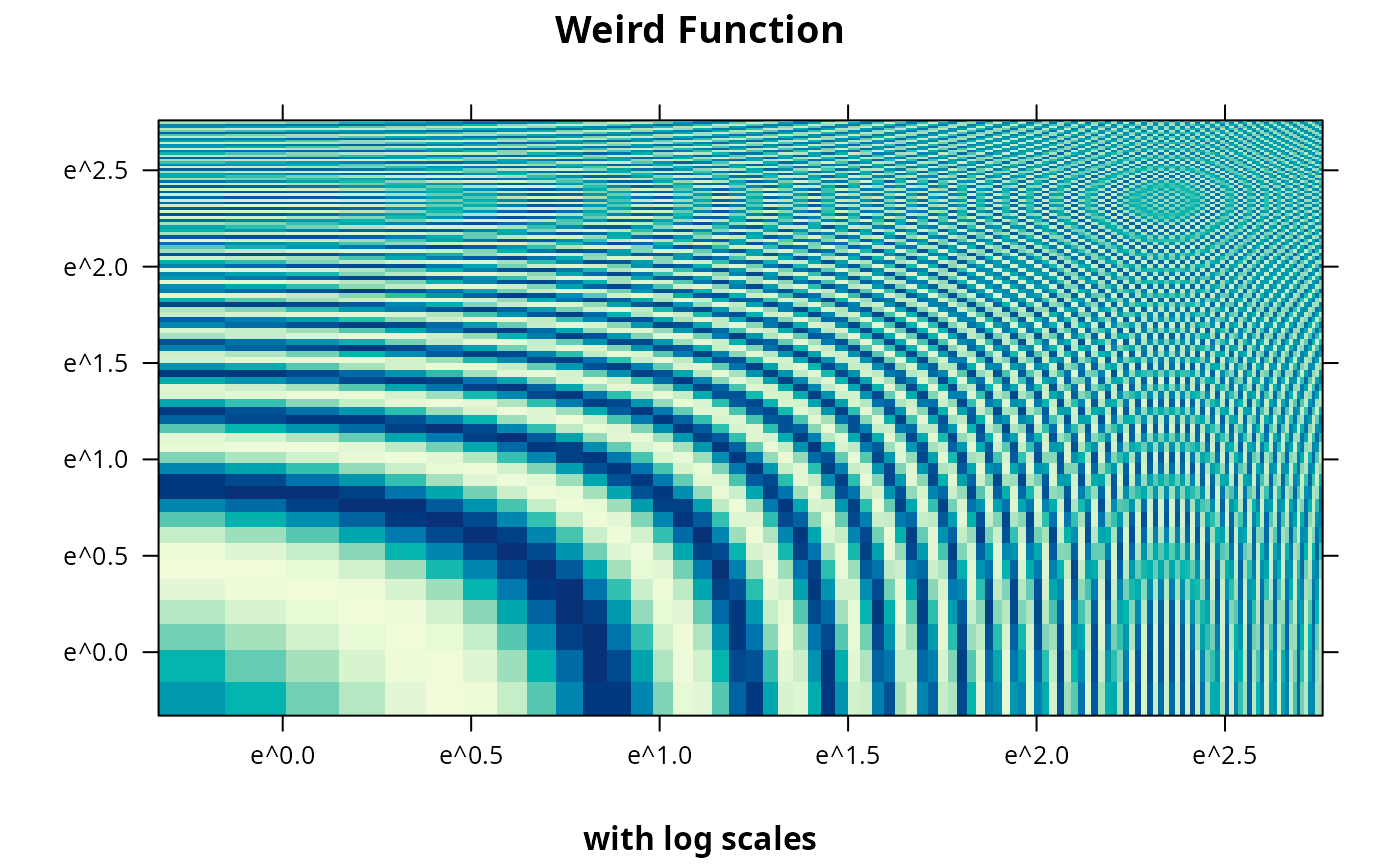
levelplot(z ~ x * y, grid, cuts = 50, scales=list(log="e"), xlab="",
ylab="", main="Weird Function", sub="with log scales",
colorkey = FALSE, region = TRUE)
 ## triangular end-points in color key, with a title
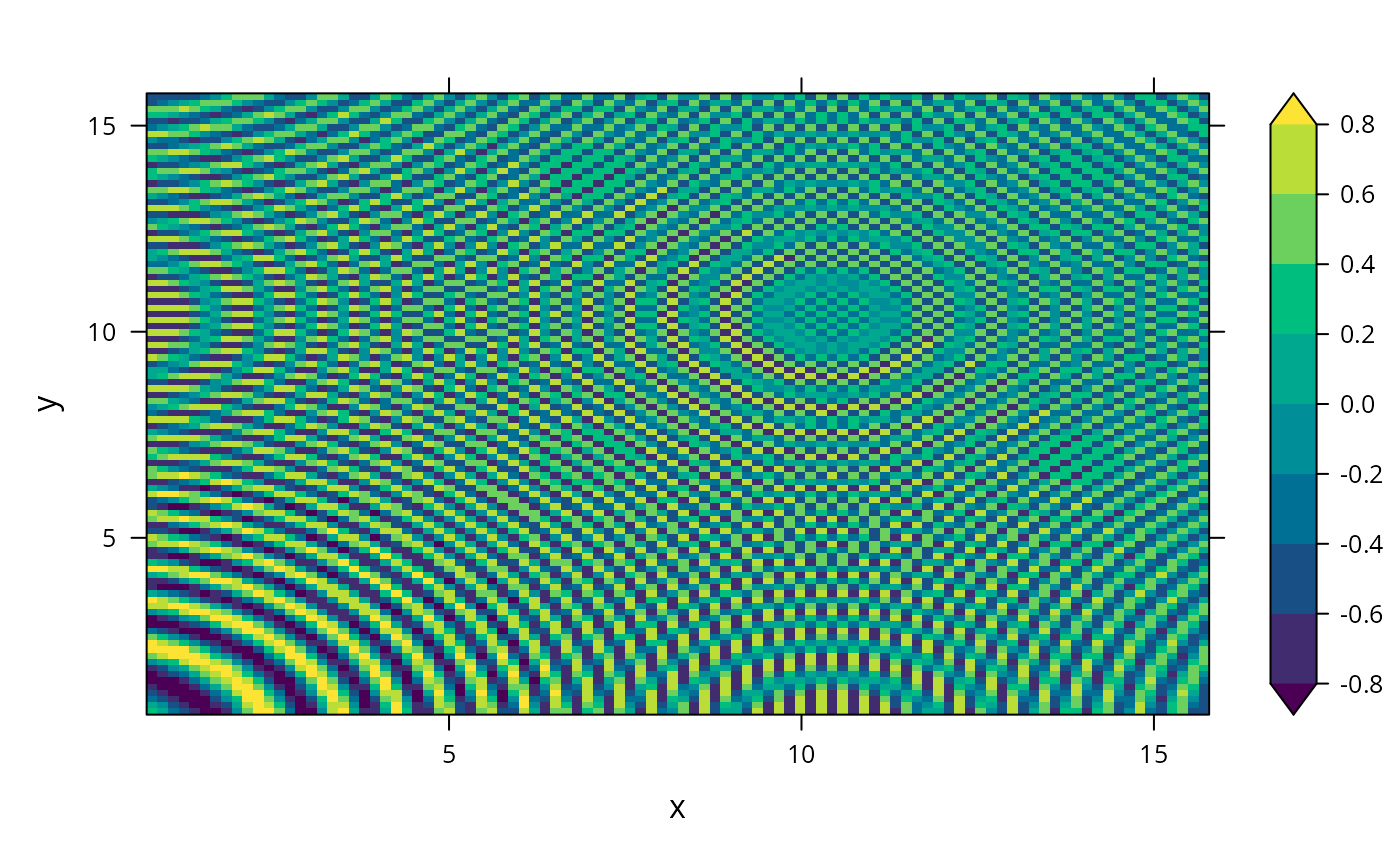
levelplot(z ~ x * y, grid, col.regions = hcl.colors(10),
at = c(-Inf, seq(-0.8, 0.8, by = 0.2), Inf))
## triangular end-points in color key, with a title
levelplot(z ~ x * y, grid, col.regions = hcl.colors(10),
at = c(-Inf, seq(-0.8, 0.8, by = 0.2), Inf))
 #S-PLUS example
require(stats)
attach(environmental)
ozo.m <- loess((ozone^(1/3)) ~ wind * temperature * radiation,
parametric = c("radiation", "wind"), span = 1, degree = 2)
w.marginal <- seq(min(wind), max(wind), length.out = 50)
t.marginal <- seq(min(temperature), max(temperature), length.out = 50)
r.marginal <- seq(min(radiation), max(radiation), length.out = 4)
wtr.marginal <- list(wind = w.marginal, temperature = t.marginal,
radiation = r.marginal)
grid <- expand.grid(wtr.marginal)
grid[, "fit"] <- c(predict(ozo.m, grid))
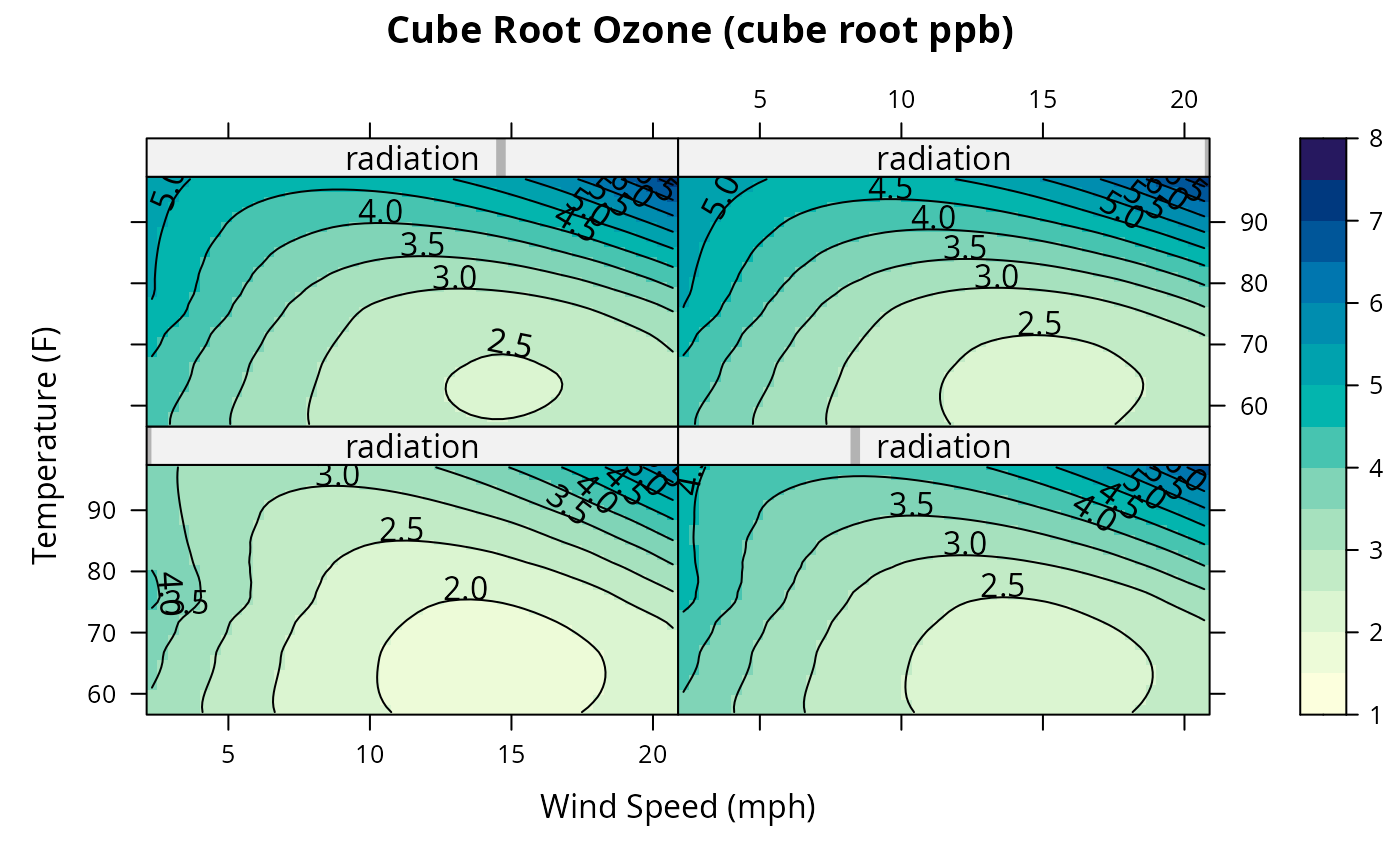
contourplot(fit ~ wind * temperature | radiation, data = grid,
cuts = 10, region = TRUE,
xlab = "Wind Speed (mph)",
ylab = "Temperature (F)",
main = "Cube Root Ozone (cube root ppb)")
#S-PLUS example
require(stats)
attach(environmental)
ozo.m <- loess((ozone^(1/3)) ~ wind * temperature * radiation,
parametric = c("radiation", "wind"), span = 1, degree = 2)
w.marginal <- seq(min(wind), max(wind), length.out = 50)
t.marginal <- seq(min(temperature), max(temperature), length.out = 50)
r.marginal <- seq(min(radiation), max(radiation), length.out = 4)
wtr.marginal <- list(wind = w.marginal, temperature = t.marginal,
radiation = r.marginal)
grid <- expand.grid(wtr.marginal)
grid[, "fit"] <- c(predict(ozo.m, grid))
contourplot(fit ~ wind * temperature | radiation, data = grid,
cuts = 10, region = TRUE,
xlab = "Wind Speed (mph)",
ylab = "Temperature (F)",
main = "Cube Root Ozone (cube root ppb)")
 detach()