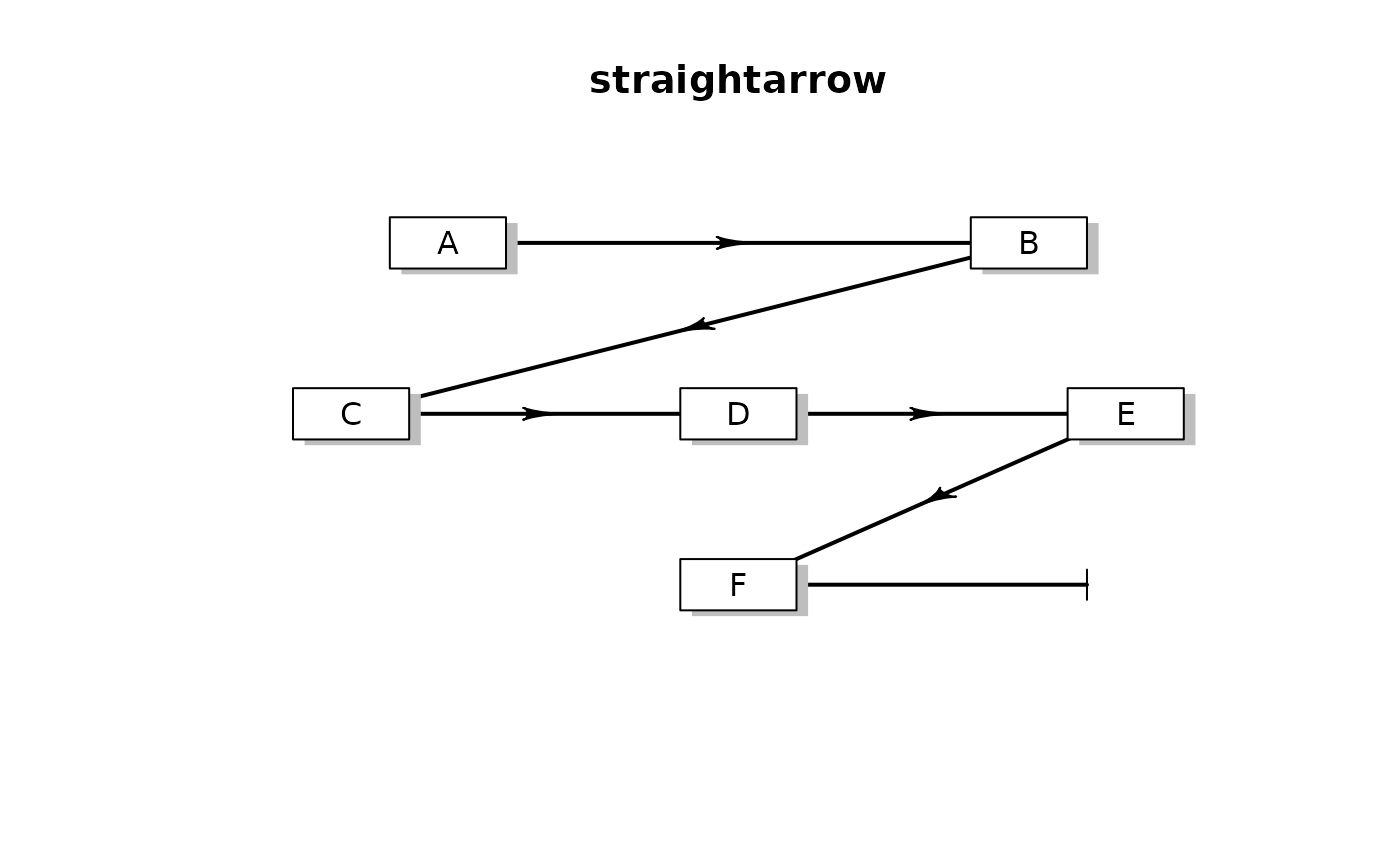
adds straight arrow between two points
straightarrow.RdPlots straight line between two points
adds an arrowhead at a certain distance.
straightarrow(from, to, lwd = 2, lty = 1, lcol = "black",
              arr.col = lcol, arr.pos = 0.5, endhead = FALSE,
              segment = c(0,1), ...)
Arguments
- from
coordinates (x,y) of the point *from* which to draw arrow.
- to
coordinates (x,y) of the point *to* which to draw arrow.
- lwd
line width.
- lty
line type.
- lcol
line color.
- arr.col
arrow color.
- arr.pos
relative position of arrowhead.
- endhead
if
TRUE: the arrow line stops at the arrowhead; default =FALSE.- segment
if not
c(0,1): then the arrow line will cover only part of the requested path, e.g. if segment = c(0.2,0.8), it will start 0.2 fromfromand till 0.8.- ...
arguments passed to function Arrows.
Value
coordinates (x,y) where arrowhead is drawn
Details
a straight arrow is drawn between the points '(from,
to)'
The position of the arrowhead, is set with arr.pos, a value between
0(start point) and 1(endpoint)
The type of the arrowhead is set with arr.type which can take
the values:
"none" : skips the drawing of arrows.
"simple" : uses comparable R function arrows.
"triangle": uses filled triangle.
"curved" : draws arrowhead with curved edges.
"circle" : draws circular head.
"ellipse" : draws ellepsoid head.
"T" : draws T-shaped (blunt) head.
The size of the arrow head can be specified with the arguments
arr.length and arr.width.
See Arrowhead from package shape for details on
arrow head.
See also
bentarrow, segmentarrow, curvedarrow
selfarrow, splitarrow, treearrow,
arrows: the comparable R function,
Arrows: more complicated arrow function from package
shape.
Examples
openplotmat(main = "straightarrow")

pos <- coordinates(c(2, 3, 1))

for (i in 1:5)
  straightarrow(from = pos[i, ], to = pos[i+1, ], arr.pos = 0.5)

straightarrow(from = pos[6, ], to = pos[6, ] + c(0.3, 0.),
              arr.type = "T", arr.pos = 1, arr.lwd = 3)

for (i in 1:6)
  textrect(pos[i, ], lab = LETTERS[i], radx = 0.05)