Plots for survey data
svyplot.RdBecause observations in survey samples may represent very different
numbers of units in the population ordinary plots can be misleading.
The svyplot function produces scatterplots adjusted in various ways
for sampling weights.
Arguments
- formula
A model formula
- design
A survey object (svydesign or svrepdesign)
- style
See Details below
- sample.size
For
style="subsample"- subset
expression using variables in the design object
- legend
For
style="hex"or"grayhex"- inches
Scale for bubble plots
- amount
list with
xandycomponents for amount of jittering to use in subsample plots, orNULLfor the default amount- basecol
base color for transparent plots, or a function to compute the color (see below), or color for bubble plots
- alpha
minimum and maximum opacity for transparent plots
- xbins
Number of (x-axis) bins for hexagonal binning
- ...
Passed to
plotmethods
Details
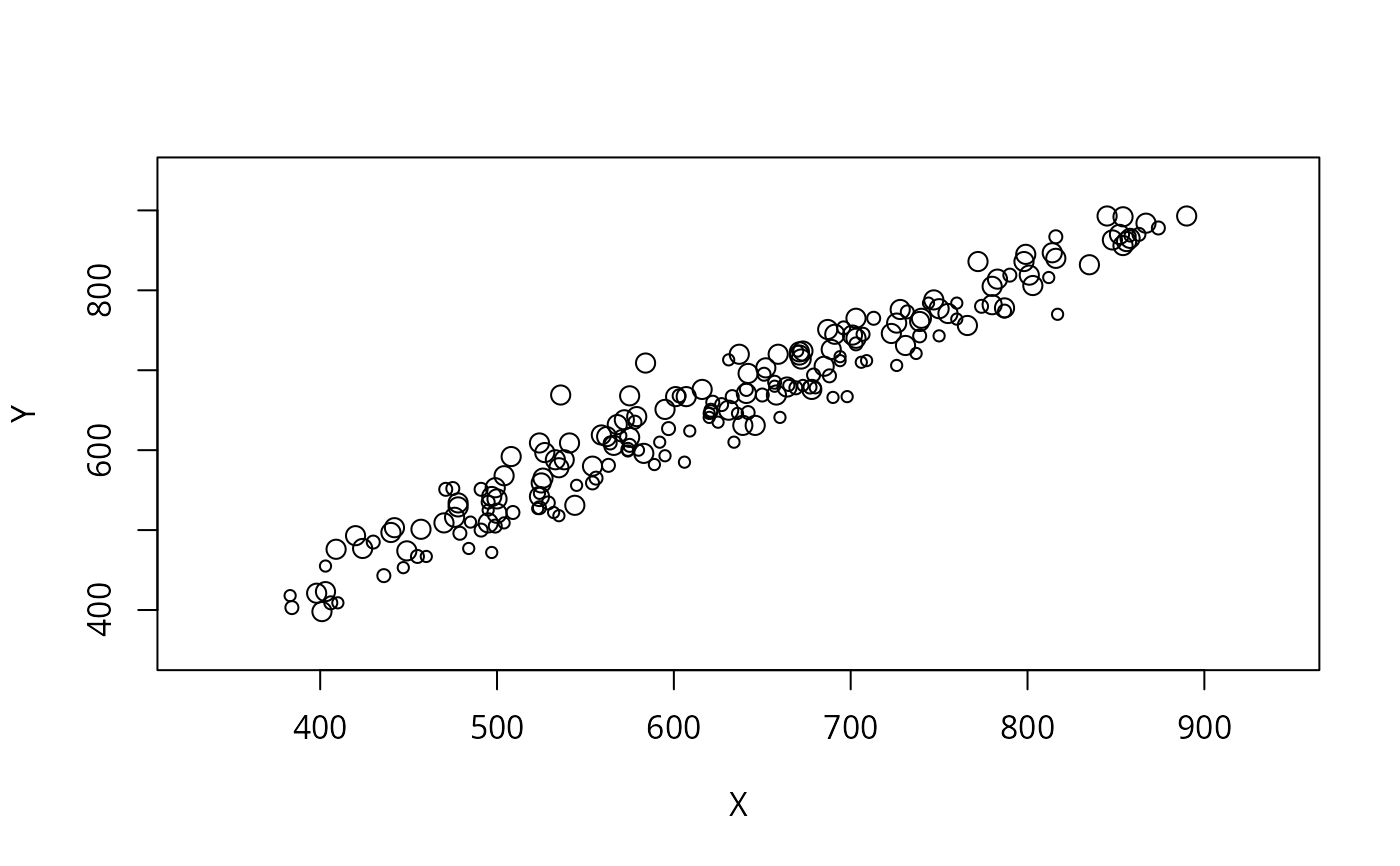
Bubble plots are scatterplots with circles whose area is proportional
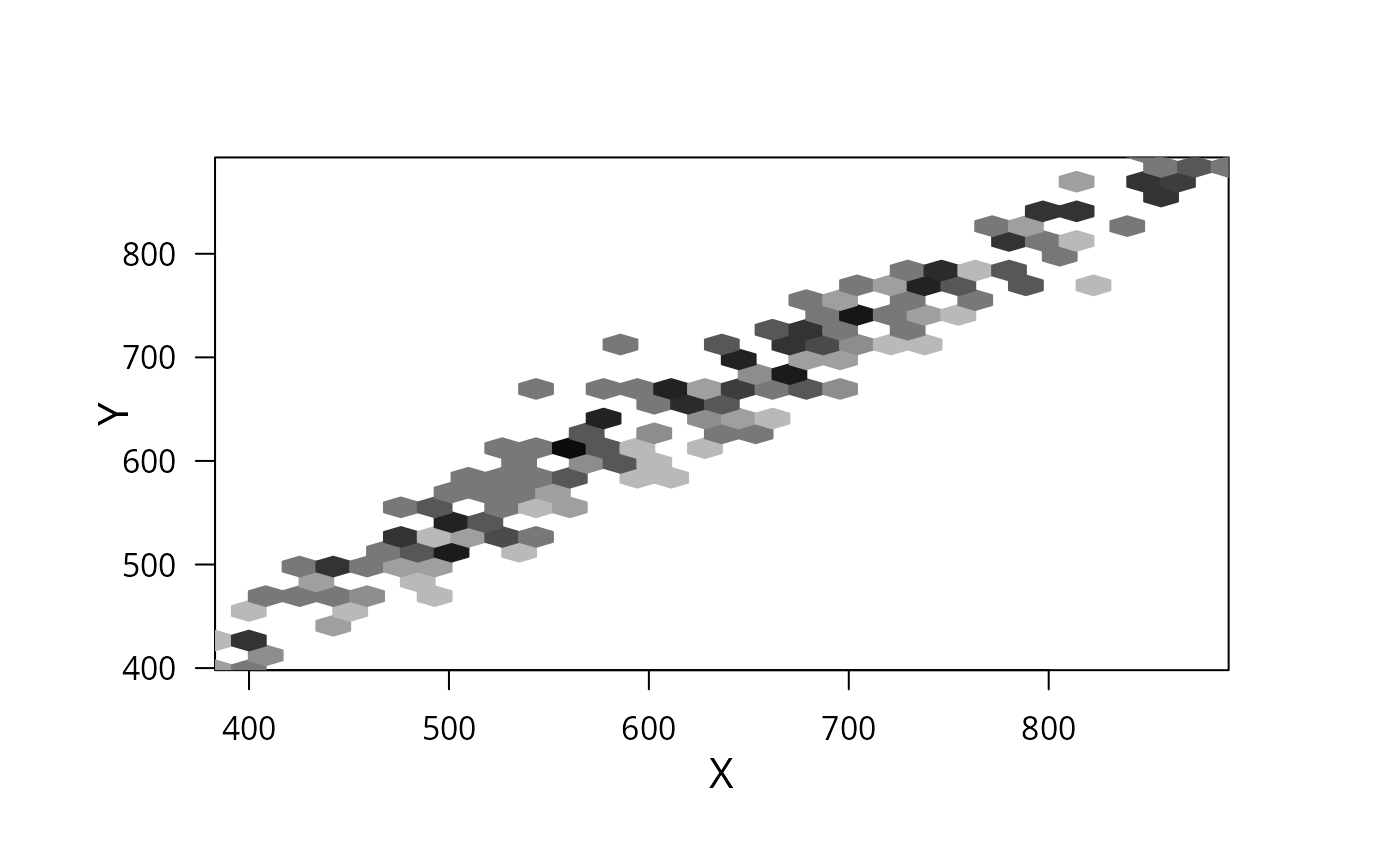
to the sampling weight. The two "hex" styles produce hexagonal
binning scatterplots, and require the hexbin package from
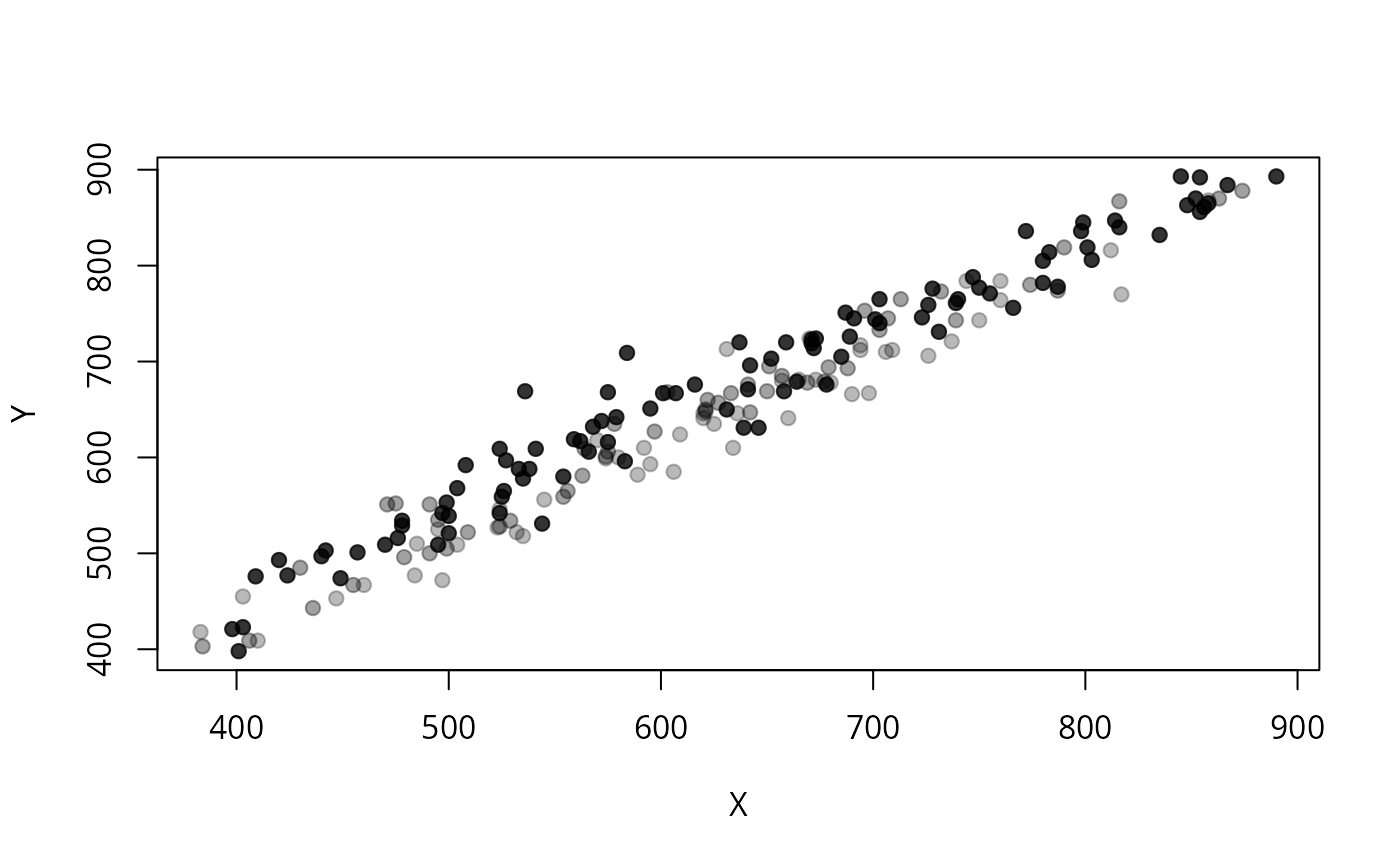
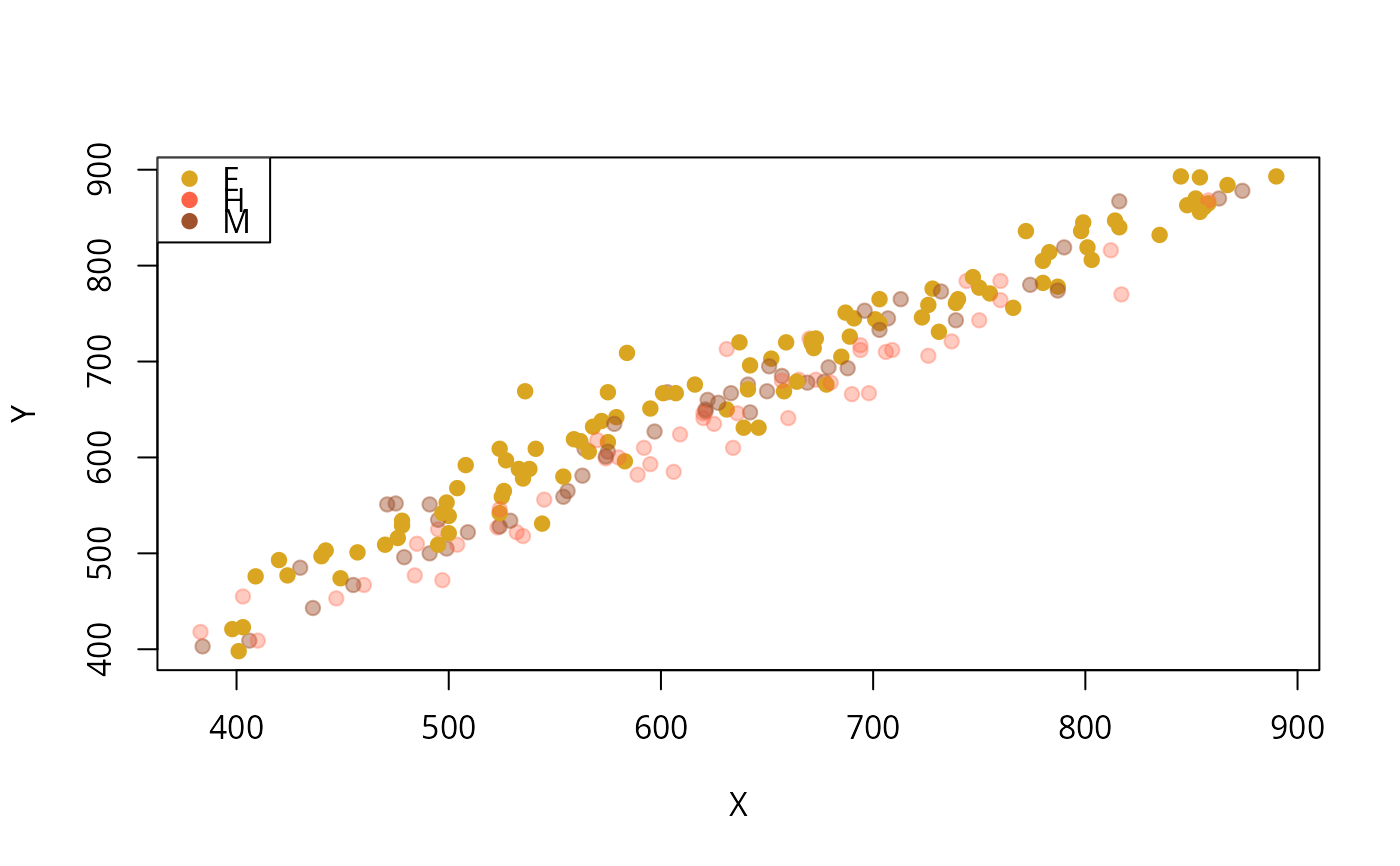
Bioconductor. The "transparent" style plots points with opacity
proportional to sampling weight.
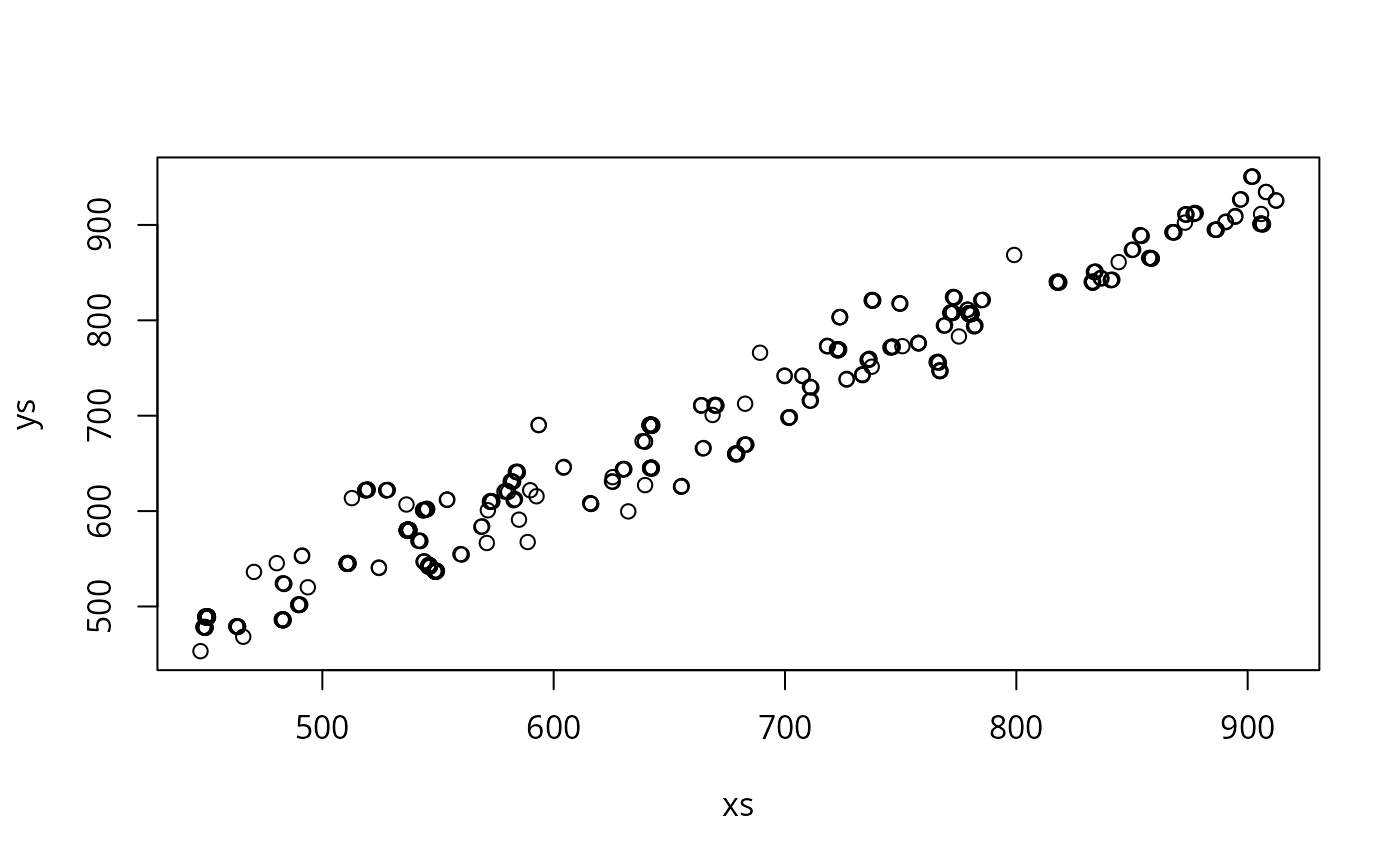
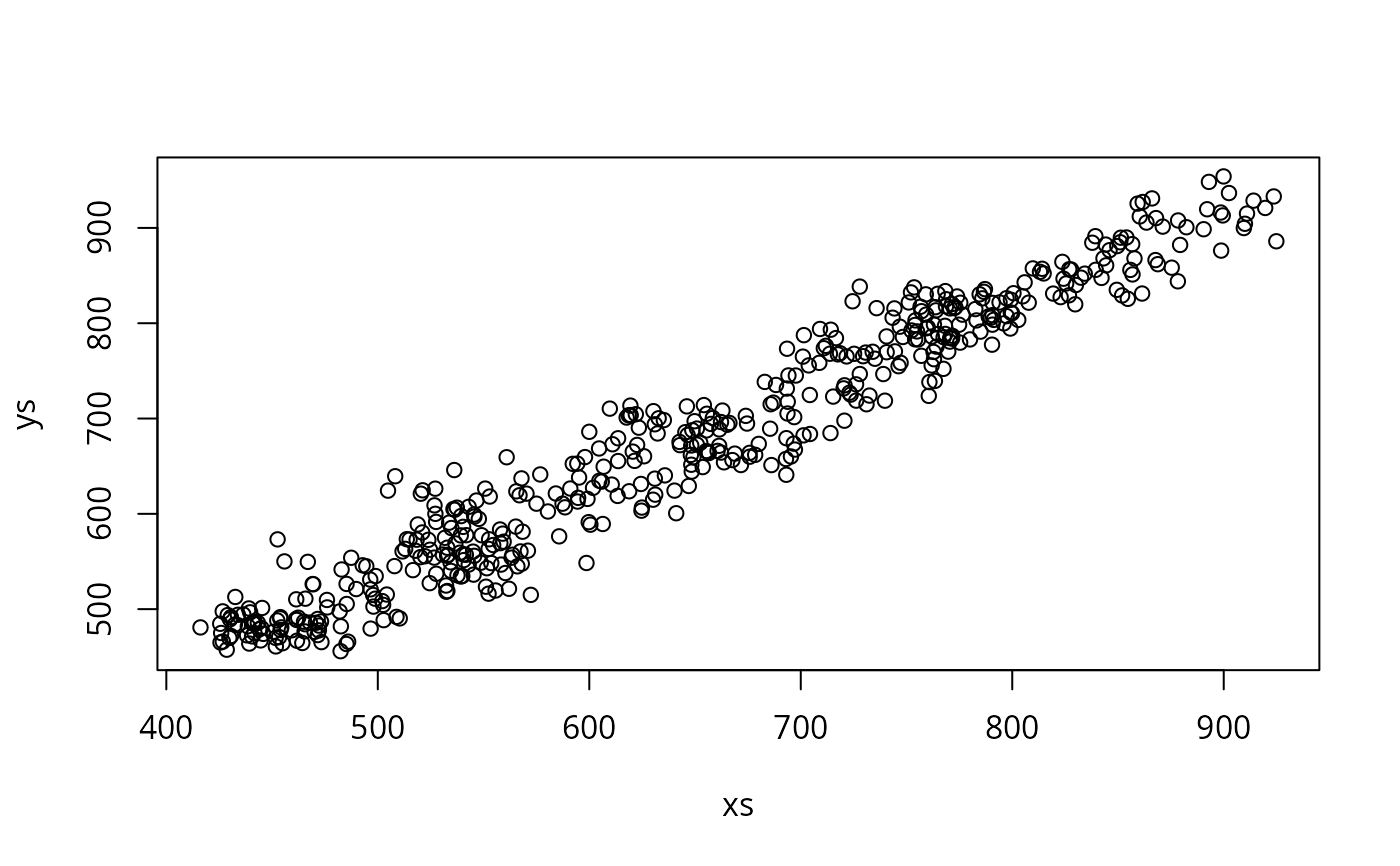
The subsample method uses the sampling weights to create a
sample from approximately the population distribution and passes this to plot
Bubble plots are suited to small surveys, hexagonal binning and transparency to large surveys where plotting all the points would result in too much overlap.
basecol can be a function taking one data frame argument, which
will be passed the data frame of variables from the survey object.
This could be memory-intensive for large data sets.
References
Korn EL, Graubard BI (1998) "Scatterplots with Survey Data" The American Statistician 52: 58-69
Lumley T, Scott A (2017) "Fitting Regression Models to Survey Data" Statistical Science 32: 265-278
Examples
data(api)
dstrat<-svydesign(id=~1,strata=~stype, weights=~pw, data=apistrat, fpc=~fpc)
svyplot(api00~api99, design=dstrat, style="bubble")
 svyplot(api00~api99, design=dstrat, style="transparent",pch=19)
 ## these two require the hexbin package
svyplot(api00~api99, design=dstrat, style="hex", xlab="1999 API",ylab="2000 API")
## these two require the hexbin package
svyplot(api00~api99, design=dstrat, style="hex", xlab="1999 API",ylab="2000 API")
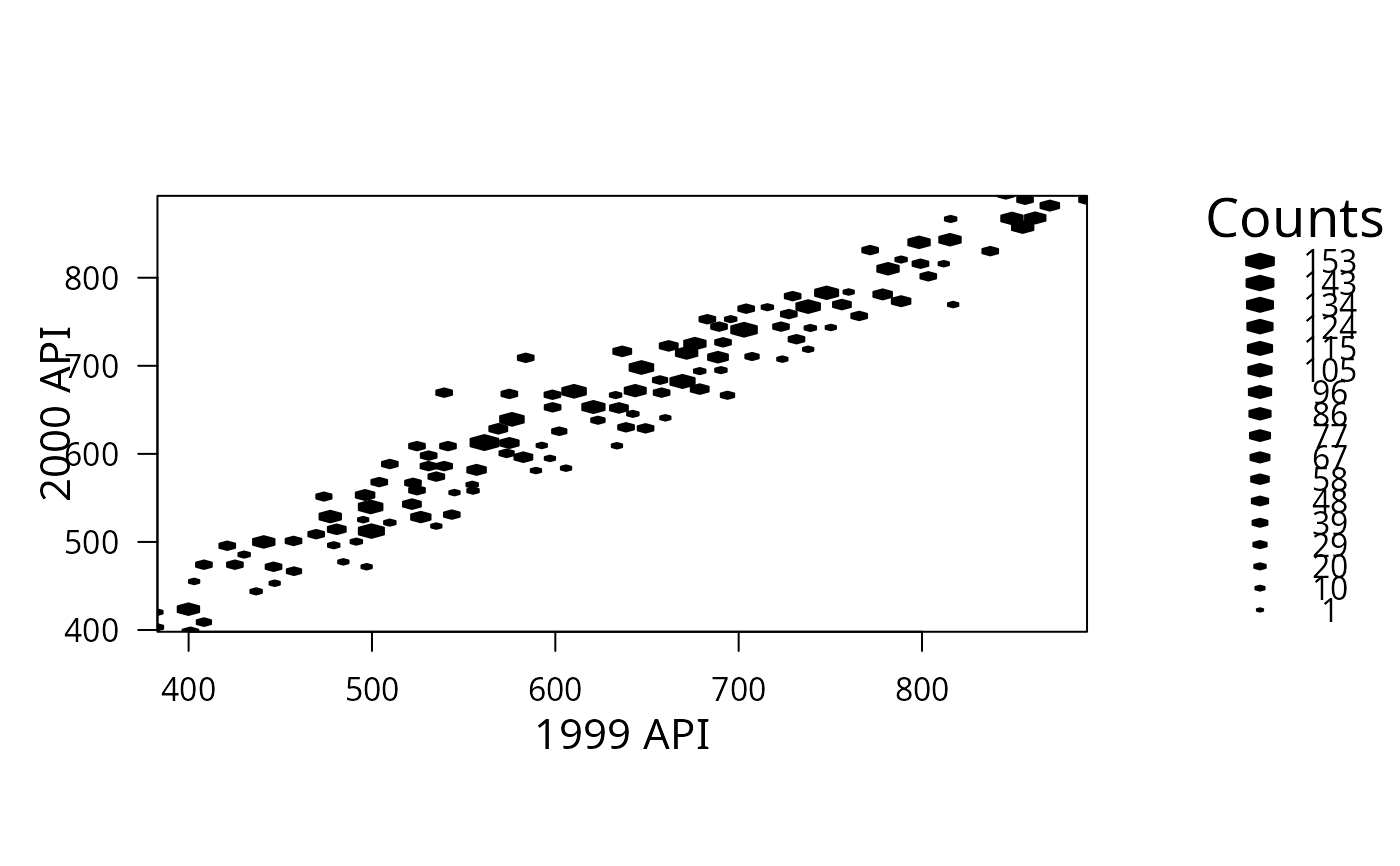 svyplot(api00~api99, design=dstrat, style="grayhex",legend=0)
 dclus2<-svydesign(id=~dnum+snum, weights=~pw,
data=apiclus2, fpc=~fpc1+fpc2)
svyplot(api00~api99, design=dclus2, style="subsample")
dclus2<-svydesign(id=~dnum+snum, weights=~pw,
data=apiclus2, fpc=~fpc1+fpc2)
svyplot(api00~api99, design=dclus2, style="subsample")
 svyplot(api00~api99, design=dclus2, style="subsample",
amount=list(x=25,y=25))
svyplot(api00~api99, design=dclus2, style="subsample",
amount=list(x=25,y=25))
 svyplot(api00~api99, design=dstrat,
basecol=function(df){c("goldenrod","tomato","sienna")[as.numeric(df$stype)]},
style="transparent",pch=19,alpha=c(0,1))
legend("topleft",col=c("goldenrod","tomato","sienna"), pch=19, legend=c("E","H","M"))
svyplot(api00~api99, design=dstrat,
basecol=function(df){c("goldenrod","tomato","sienna")[as.numeric(df$stype)]},
style="transparent",pch=19,alpha=c(0,1))
legend("topleft",col=c("goldenrod","tomato","sienna"), pch=19, legend=c("E","H","M"))
 ## For discrete data, estimate a population table and plot the table.
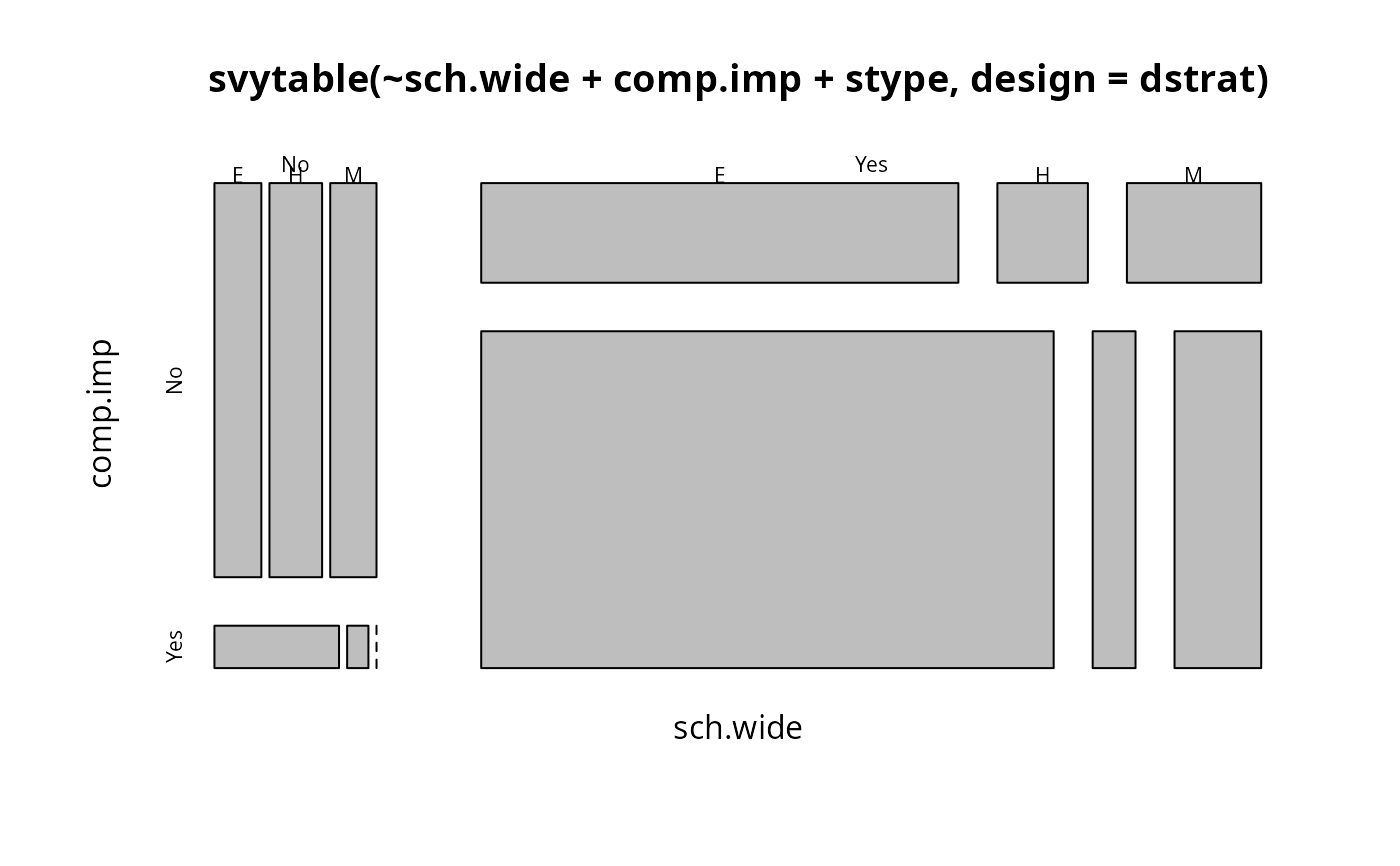
plot(svytable(~sch.wide+comp.imp+stype,design=dstrat))
## For discrete data, estimate a population table and plot the table.
plot(svytable(~sch.wide+comp.imp+stype,design=dstrat))
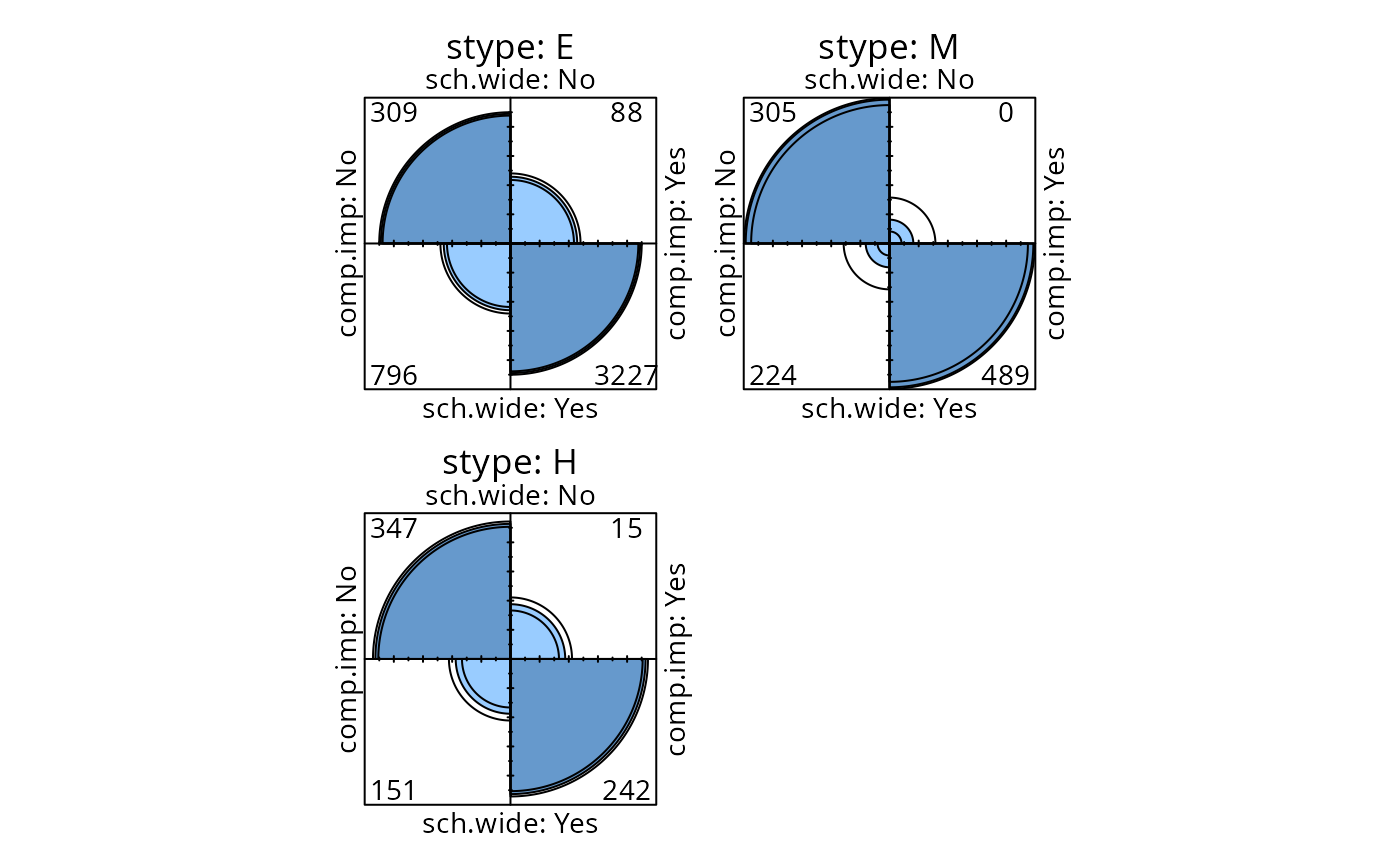
 fourfoldplot(svytable(~sch.wide+comp.imp+stype,design=dstrat,round=TRUE))
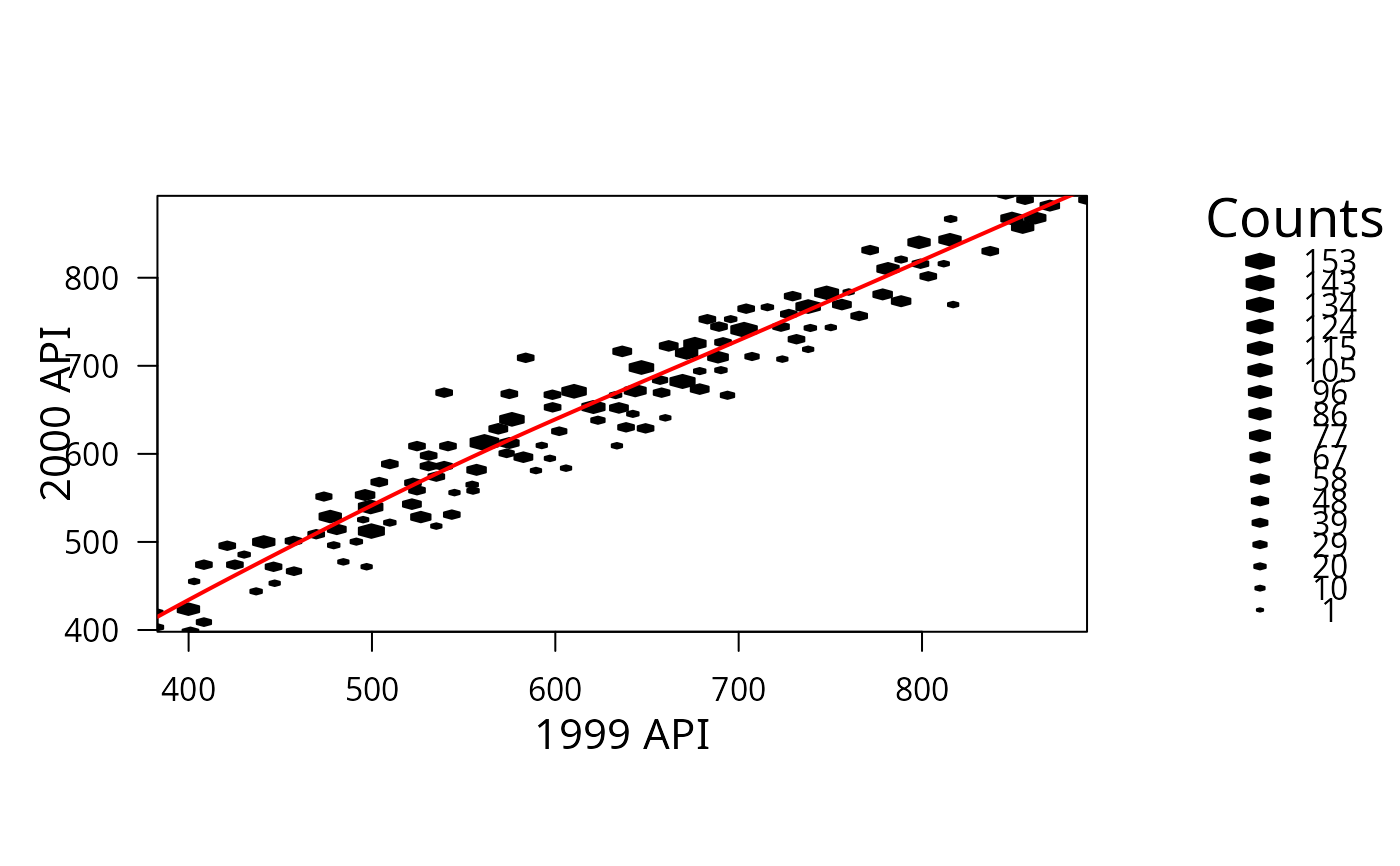
 ## To draw on a hexbin plot you need grid graphics, eg,
library(grid)
h<-svyplot(api00~api99, design=dstrat, style="hex", xlab="1999 API",ylab="2000 API")
s<-svysmooth(api00~api99,design=dstrat)
grid.polyline(s$api99$x,s$api99$y,vp=h$plot.vp@hexVp.on,default.units="native",
gp=gpar(col="red",lwd=2))
## To draw on a hexbin plot you need grid graphics, eg,
library(grid)
h<-svyplot(api00~api99, design=dstrat, style="hex", xlab="1999 API",ylab="2000 API")
s<-svysmooth(api00~api99,design=dstrat)
grid.polyline(s$api99$x,s$api99$y,vp=h$plot.vp@hexVp.on,default.units="native",
gp=gpar(col="red",lwd=2))