Predicted values are computed and, by default, plotted. Depending on the
fit method, a confidence band can be computed and plotted. The confidence
band can be interpreted similarly as that produced by stat_smooth()
and stat_poly_line().
stat_quant_line(
  mapping = NULL,
  data = NULL,
  geom = "smooth",
  position = "identity",
  ...,
  quantiles = c(0.25, 0.5, 0.75),
  formula = NULL,
  se = length(quantiles) == 1L,
  fm.values = FALSE,
  n = 80,
  method = "rq",
  method.args = list(),
  n.min = 3L,
  level = 0.95,
  type = "direct",
  interval = "confidence",
  na.rm = FALSE,
  orientation = NA,
  show.legend = NA,
  inherit.aes = TRUE
)
Arguments
- mapping
The aesthetic mapping, usually constructed with
aes. Only needs to be set at the layer level if you are overriding the plot defaults.- data
A layer specific dataset, only needed if you want to override the plot defaults.
- geom
The geometric object to use display the data
- position
The position adjustment to use for overlapping points on this layer
- ...
other arguments passed on to
layer. This can include aesthetics whose values you want to set, not map. Seelayerfor more details.- quantiles
numeric vector Values in 0..1 indicating the quantiles.
- formula
a formula object. Using aesthetic names
xandyinstead of original variable names.- se
logical Passed to
quantreg::predict.rq().- fm.values
logical Add n as a column to returned data? (`FALSE` by default.)
- n
Number of points at which to evaluate smoother.
- method
function or character If character, "rq", "rqss" or the name of a model fit function are accepted, possibly followed by the fit function's
methodargument separated by a colon (e.g."rq:br"). If a function different torq(), it must accept arguments namedformula,data,weights,tauandmethodand return a model fit object of classrq,rqsorrqss.- method.args
named list with additional arguments passed to
rq(),rqss()or to a function passed as argument tomethod.- n.min
integer Minimum number of distinct values in the explanatory variable (on the rhs of formula) for fitting to the attempted.
- level
numeric in range [0..1] Passed to
quantreg::predict.rq().- type
character Passed to
quantreg::predict.rq().- interval
character Passed to
quantreg::predict.rq().- na.rm
a logical indicating whether NA values should be stripped before the computation proceeds.
- orientation
character Either "x" or "y" controlling the default for
formula.- show.legend
logical. Should this layer be included in the legends?
NA, the default, includes if any aesthetics are mapped.FALSEnever includes, andTRUEalways includes.- inherit.aes
If
FALSE, overrides the default aesthetics, rather than combining with them. This is most useful for helper functions that define both data and aesthetics and shouldn't inherit behaviour from the default plot specification, e.g.borders.
Value
The value returned by the statistic is a data frame, that will have
n rows of predicted values and and their confidence limits for each
quantile, with each quantile in a group. The variables are x and
y with y containing predicted values. In addition,
quantile and quantile.f indicate the quantile used and
and edited group preserves the original grouping adding a new
"level" for each quantile. Is se = TRUE, a confidence band is
computed and values for it returned in ymax and ymin.
The value returned by the statistic is a data frame, that will have
n rows of predicted values and their confidence limits. Optionally
it will also include additional values related to the model fit.
Details
stat_quant_line() behaves similarly to
ggplot2::stat_smooth() and stat_poly_line() but supports
fitting regressions for multiple quantiles in the same plot layer. This
statistic interprets the argument passed to formula accepting
y as well as x as explanatory variable, matching
stat_quant_eq(). While stat_quant_eq() supports only method
"rq", stat_quant_line() and stat_quant_band() support
both "rq" and "rqss", In the case of "rqss" the model
formula makes normally use of qss() to formulate the spline and its
constraints.
geom_smooth, which is used by default, treats each
axis differently and thus is dependent on orientation. If no argument is
passed to formula, it defaults to y ~ x. Formulas with
y as explanatory variable are treated as if x was the
explanatory variable and orientation = "y".
Package 'ggpmisc' does not define a new geometry matching this statistic as
it is enough for the statistic to return suitable x, y,
ymin, ymax and group values.
The minimum number of observations with distinct values in the explanatory
variable can be set through parameter n.min. The default n.min
= 3L is the smallest usable value. However, model fits with very few
observations are of little interest and using larger values of n.min
than the default is wise.
There are multiple uses for double regression on x and y. For example, when two variables are subject to mutual constrains, it is useful to consider both of them as explanatory and interpret the relationship based on them. So, from version 0.4.1 'ggpmisc' makes it possible to easily implement the approach described by Cardoso (2019) under the name of "Double quantile regression".
Computed variables
`stat_quant_line()` provides the following variables, some of which depend on the orientation:
- y *or* x
predicted value
- ymin *or* xmin
lower confidence interval around the mean
- ymax *or* xmax
upper confidence interval around the mean
If fm.values = TRUE is passed then one column with the number of
observations n used for each fit is also included, with the same
value in each row within a group. This is wasteful and disabled by default,
but provides a simple and robust approach to achieve effects like colouring
or hiding of the model fit line based on the number of observations.
Aesthetics
stat_quant_line understands x and y,
to be referenced in the formula and weight passed as argument
to parameter weights. All three must be mapped to numeric
variables. In addition, the aesthetics understood by the geom
("geom_smooth" is the default) are understood and grouping
respected.
References
Cardoso, G. C. (2019) Double quantile regression accurately assesses distance to boundary trade-off. Methods in ecology and evolution, 10(8), 1322-1331.
See also
Other ggplot statistics for quantile regression:
stat_quant_band(),
stat_quant_eq()
Examples
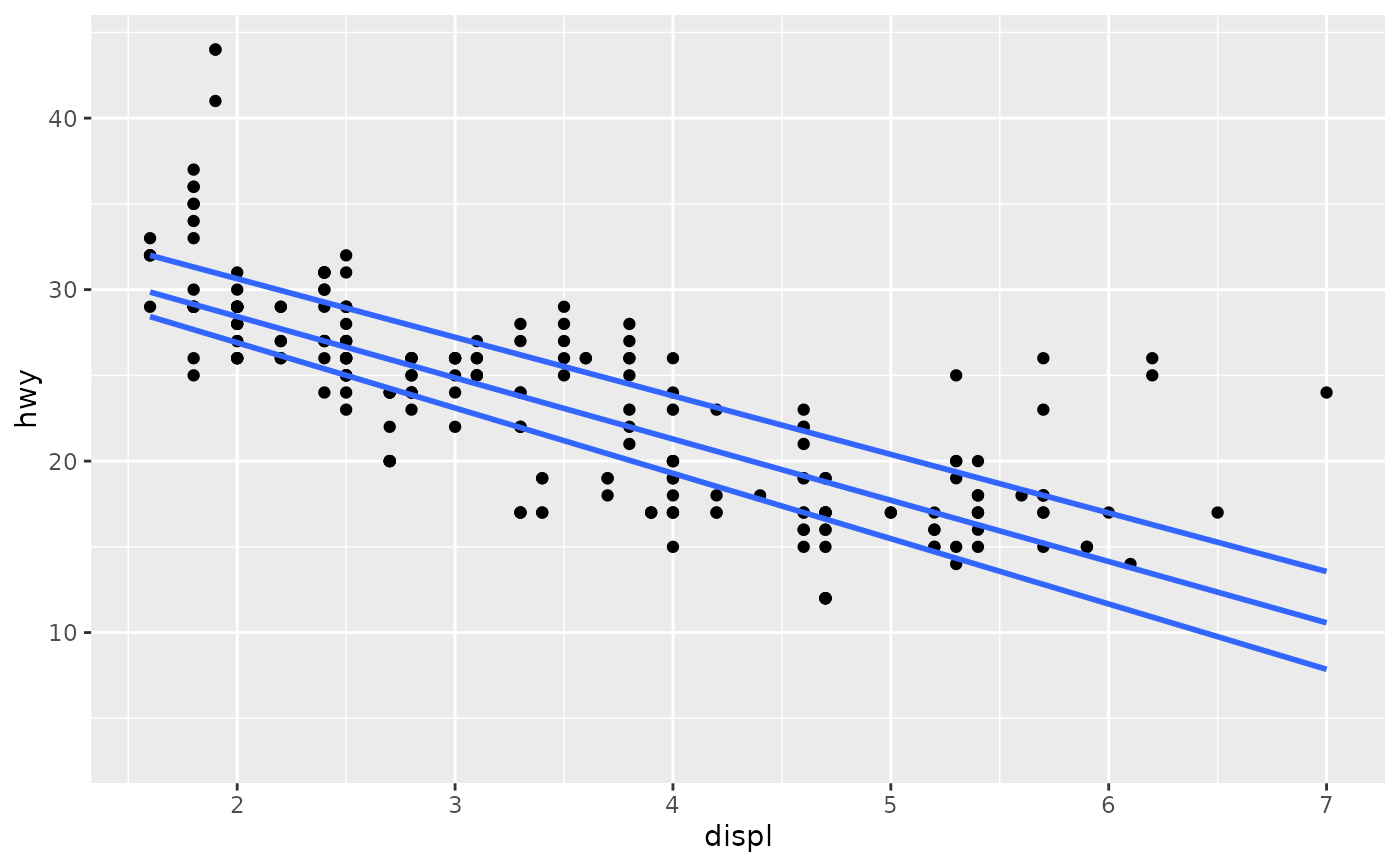
ggplot(mpg, aes(displ, hwy)) +
geom_point() +
stat_quant_line()
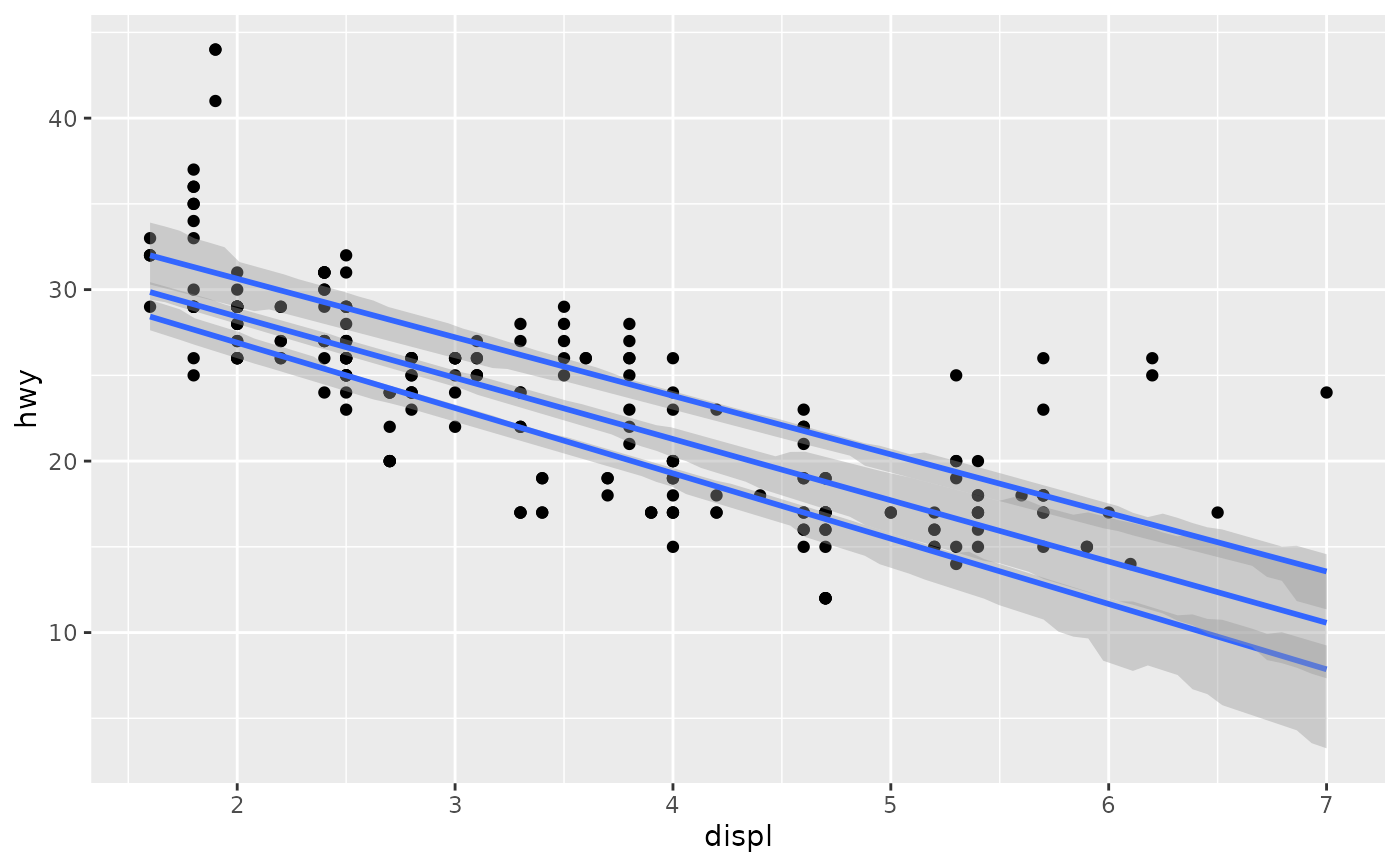
 ggplot(mpg, aes(displ, hwy)) +
geom_point() +
stat_quant_line(se = TRUE)
ggplot(mpg, aes(displ, hwy)) +
geom_point() +
stat_quant_line(se = TRUE)
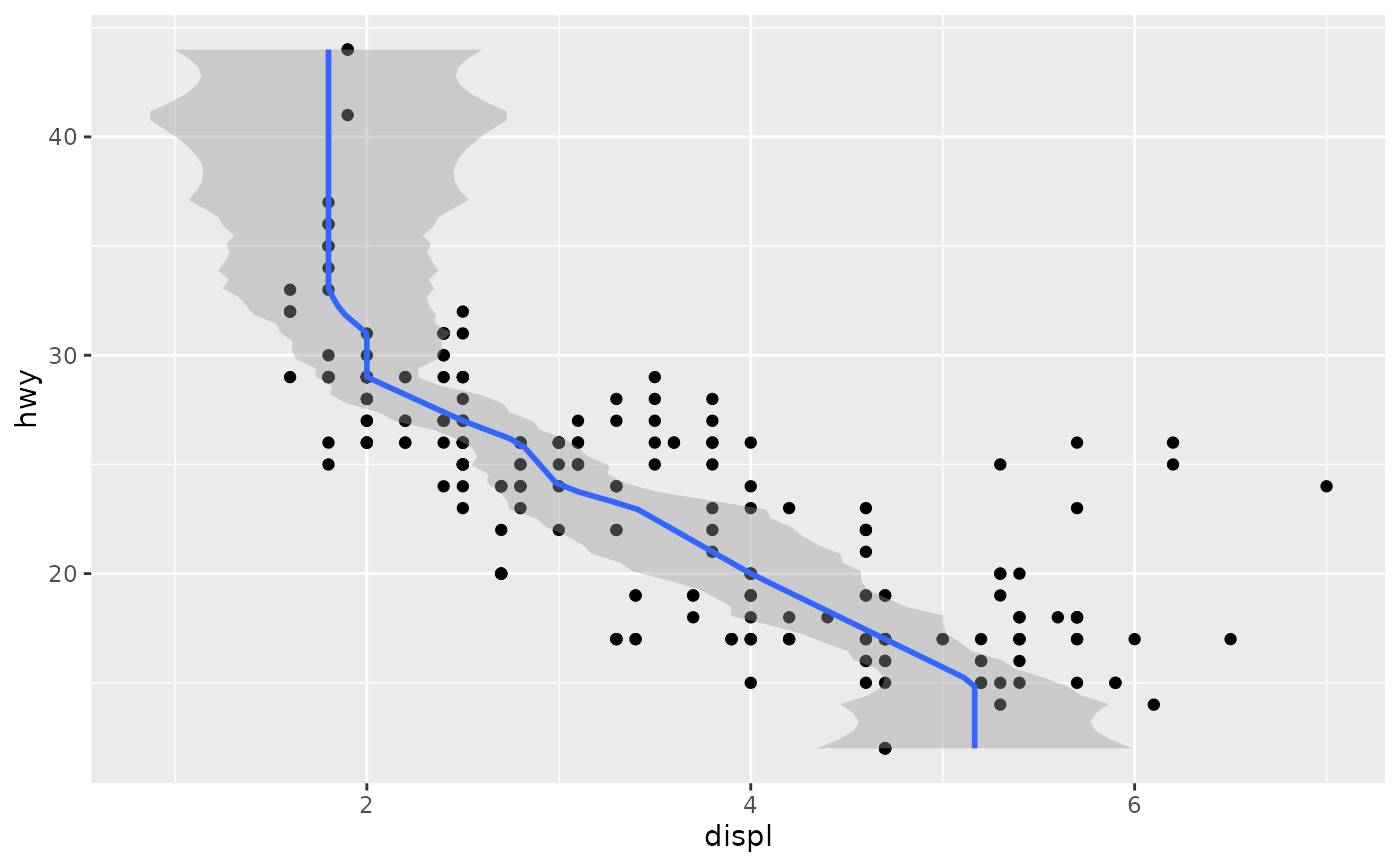
 # If you need the fitting to be done along the y-axis set the orientation
ggplot(mpg, aes(displ, hwy)) +
geom_point() +
stat_quant_line(orientation = "y")
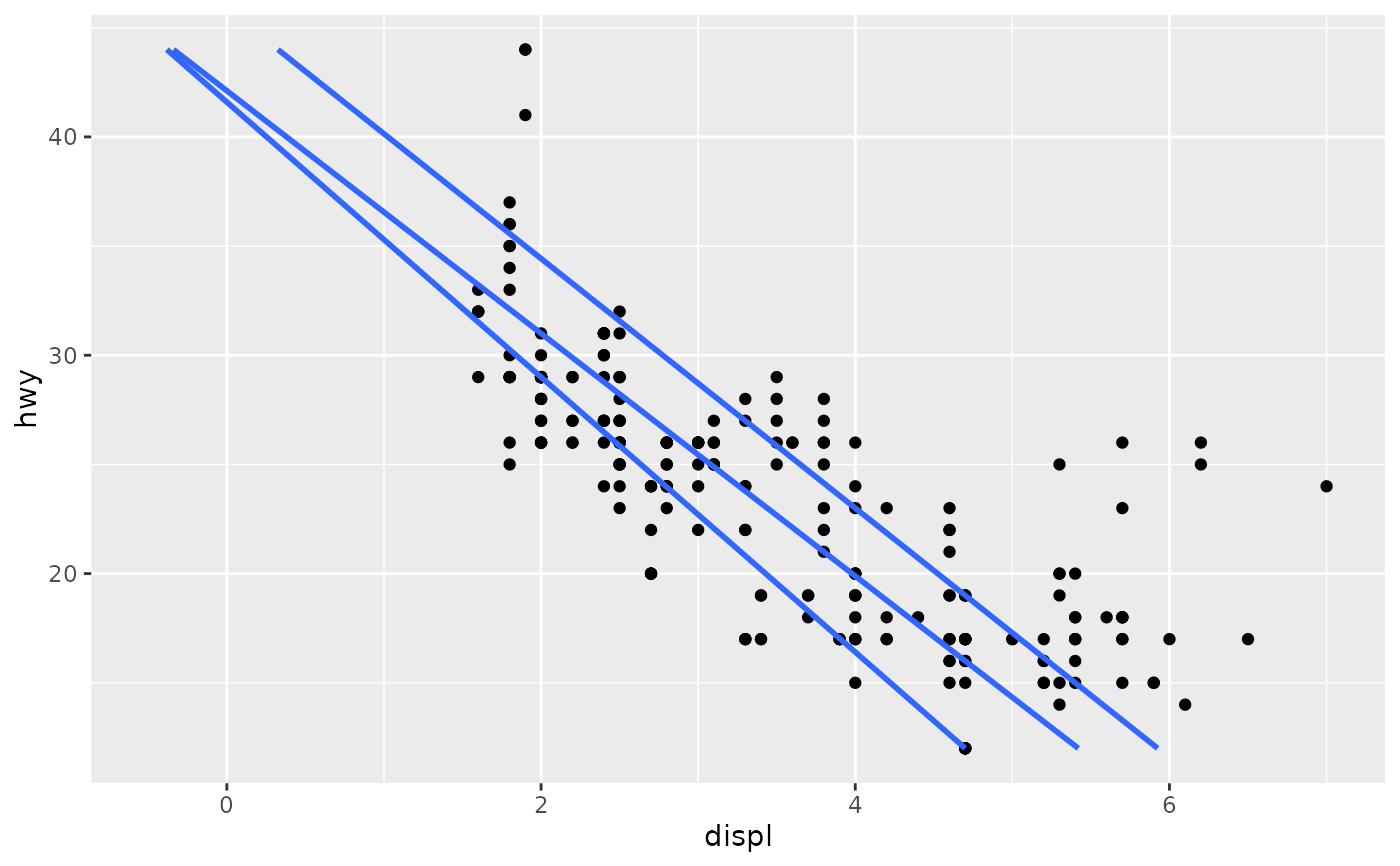
# If you need the fitting to be done along the y-axis set the orientation
ggplot(mpg, aes(displ, hwy)) +
geom_point() +
stat_quant_line(orientation = "y")
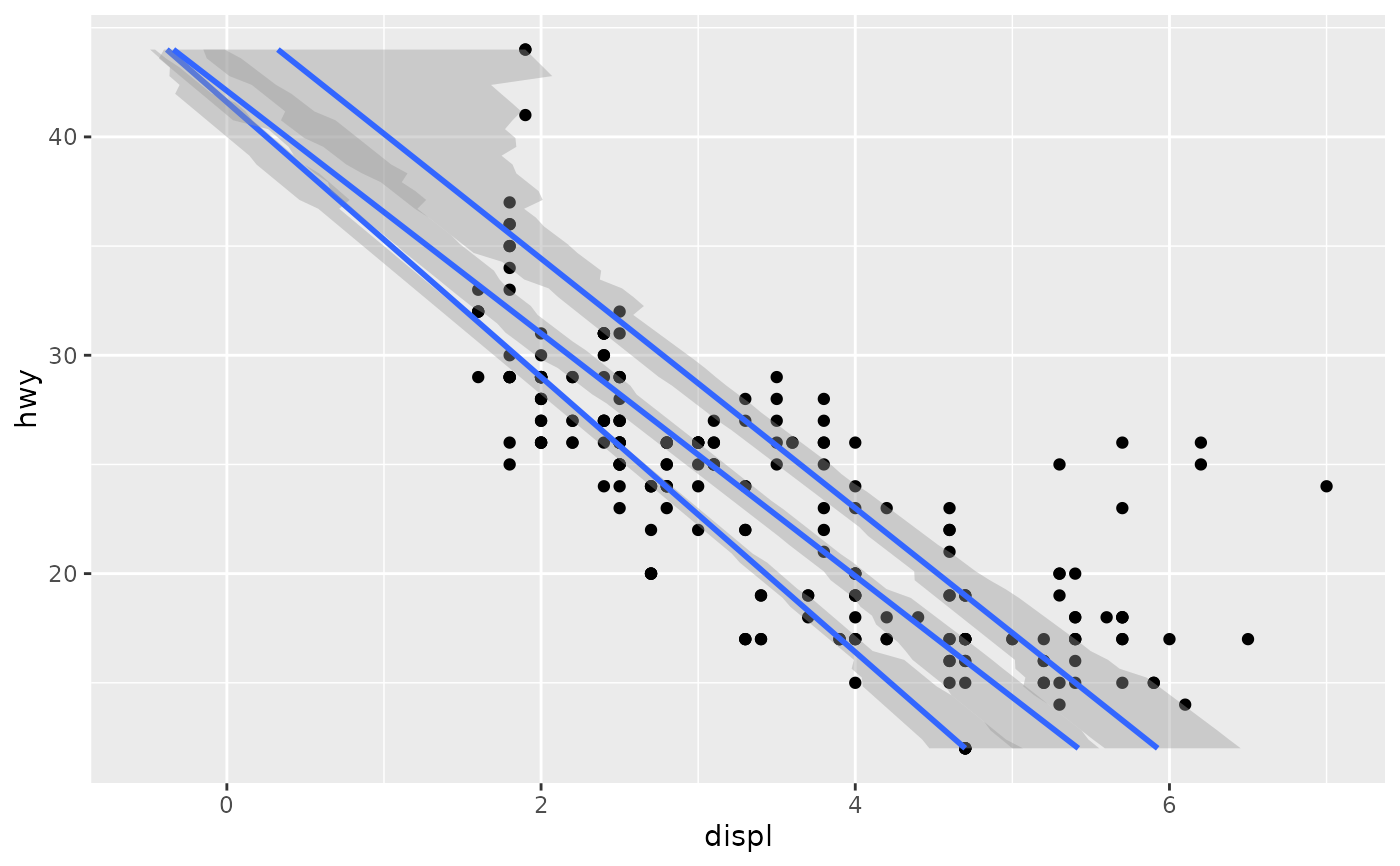
 ggplot(mpg, aes(displ, hwy)) +
geom_point() +
stat_quant_line(orientation = "y", se = TRUE)
ggplot(mpg, aes(displ, hwy)) +
geom_point() +
stat_quant_line(orientation = "y", se = TRUE)
 ggplot(mpg, aes(displ, hwy)) +
geom_point() +
stat_quant_line(formula = y ~ x)
ggplot(mpg, aes(displ, hwy)) +
geom_point() +
stat_quant_line(formula = y ~ x)
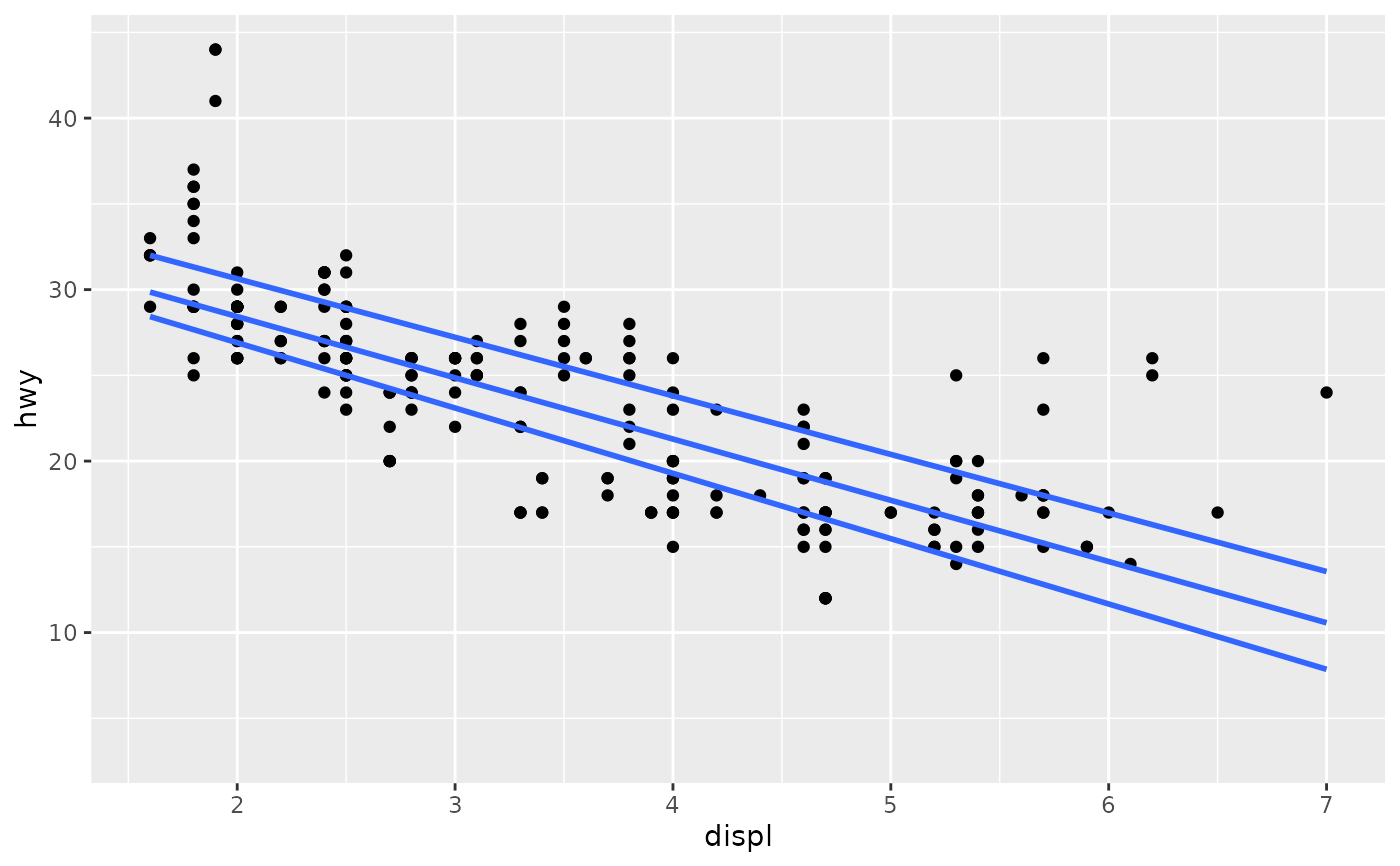 ggplot(mpg, aes(displ, hwy)) +
geom_point() +
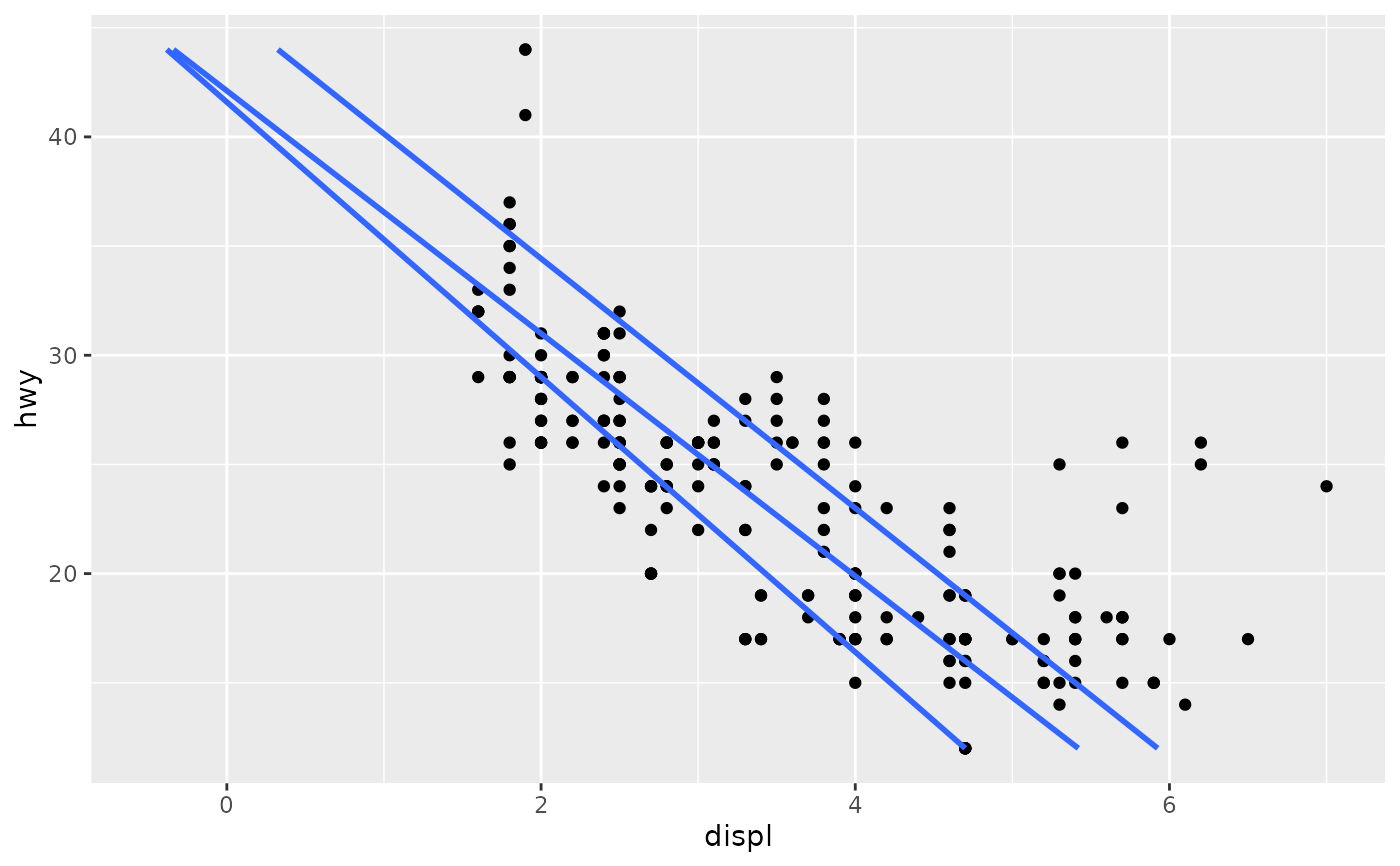
stat_quant_line(formula = x ~ y)
ggplot(mpg, aes(displ, hwy)) +
geom_point() +
stat_quant_line(formula = x ~ y)
 ggplot(mpg, aes(displ, hwy)) +
geom_point() +
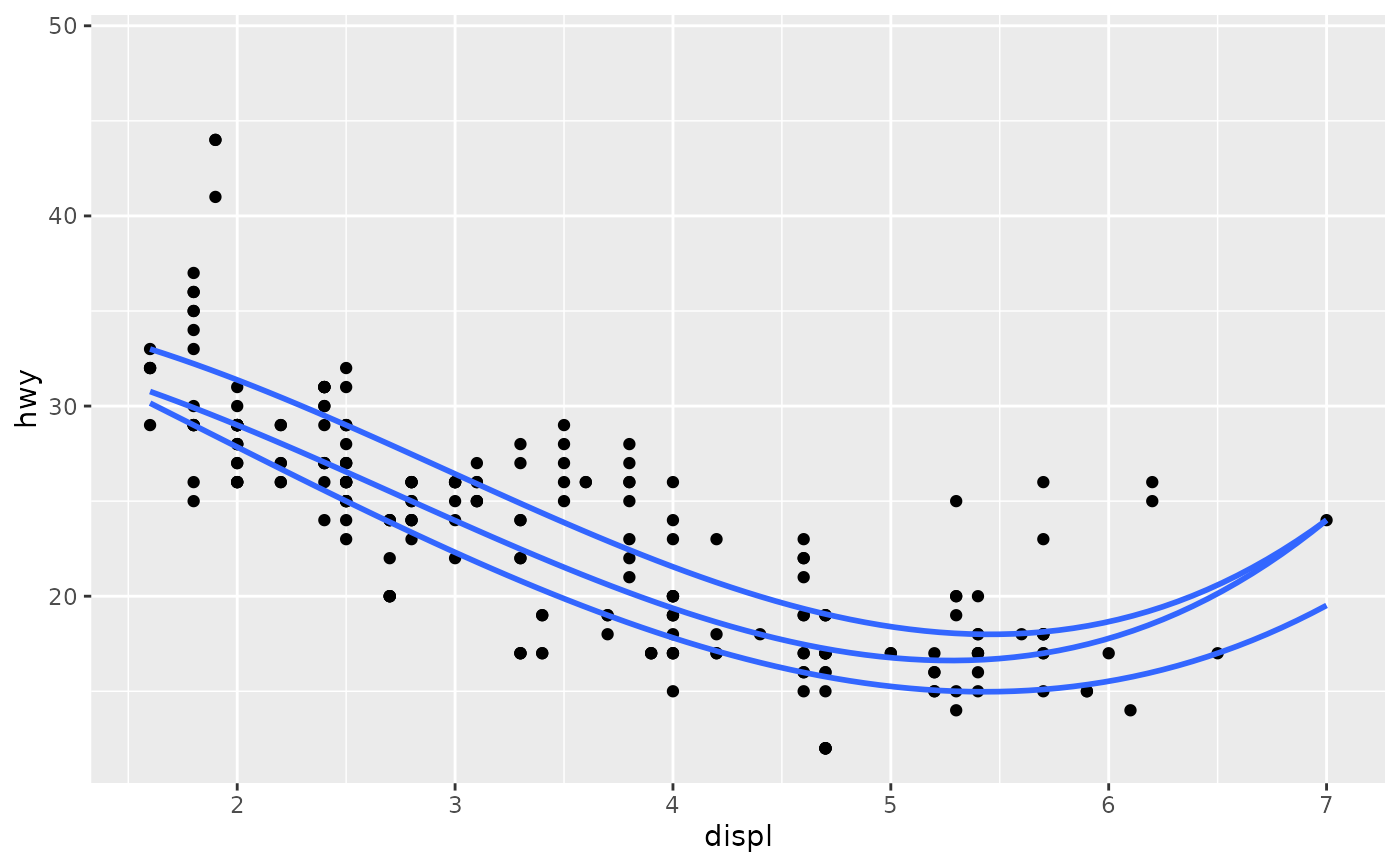
stat_quant_line(formula = y ~ poly(x, 3))
ggplot(mpg, aes(displ, hwy)) +
geom_point() +
stat_quant_line(formula = y ~ poly(x, 3))
 ggplot(mpg, aes(displ, hwy)) +
geom_point() +
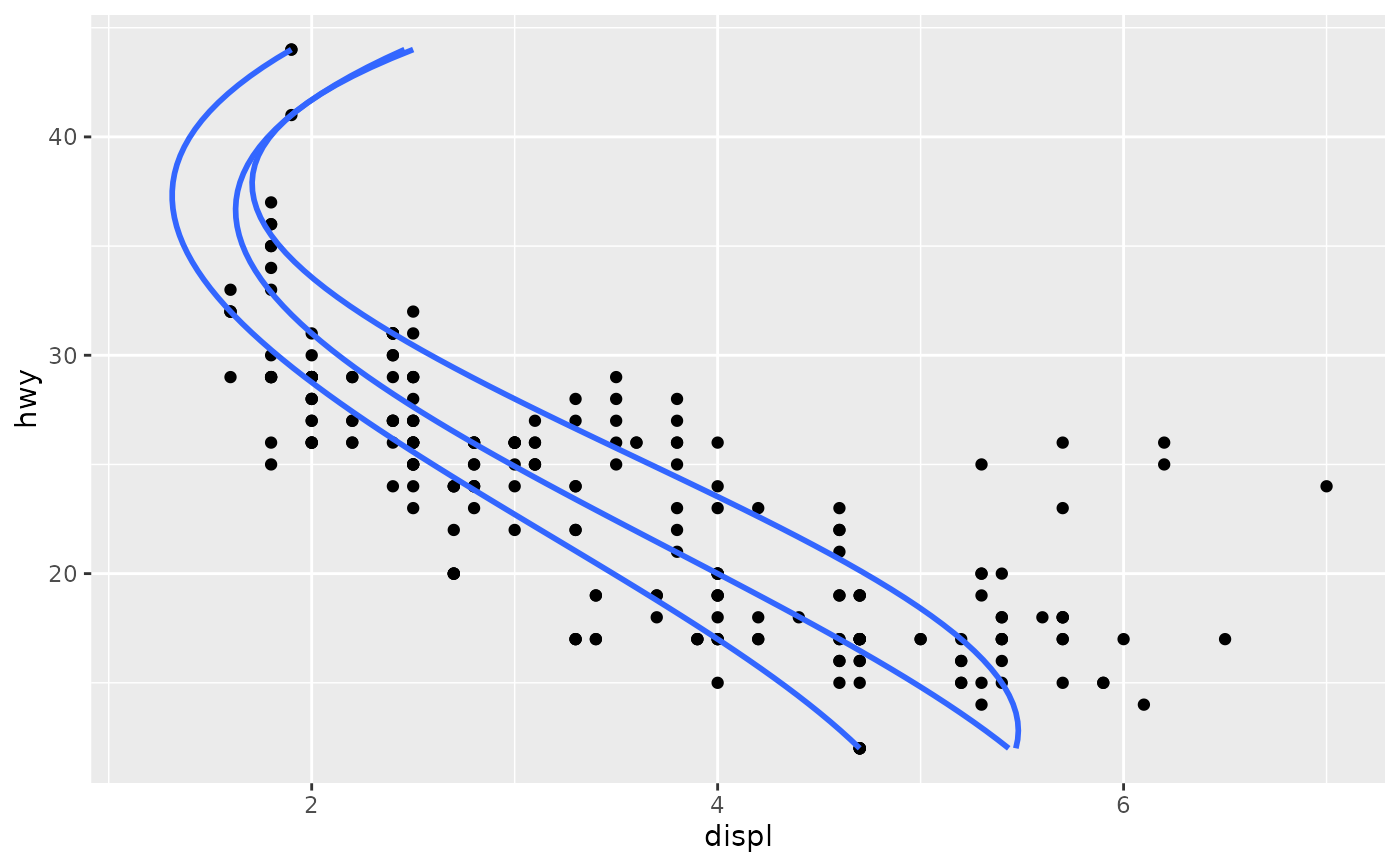
stat_quant_line(formula = x ~ poly(y, 3))
#> Warning: 9 non-positive fis
#> Warning: 5 non-positive fis
ggplot(mpg, aes(displ, hwy)) +
geom_point() +
stat_quant_line(formula = x ~ poly(y, 3))
#> Warning: 9 non-positive fis
#> Warning: 5 non-positive fis
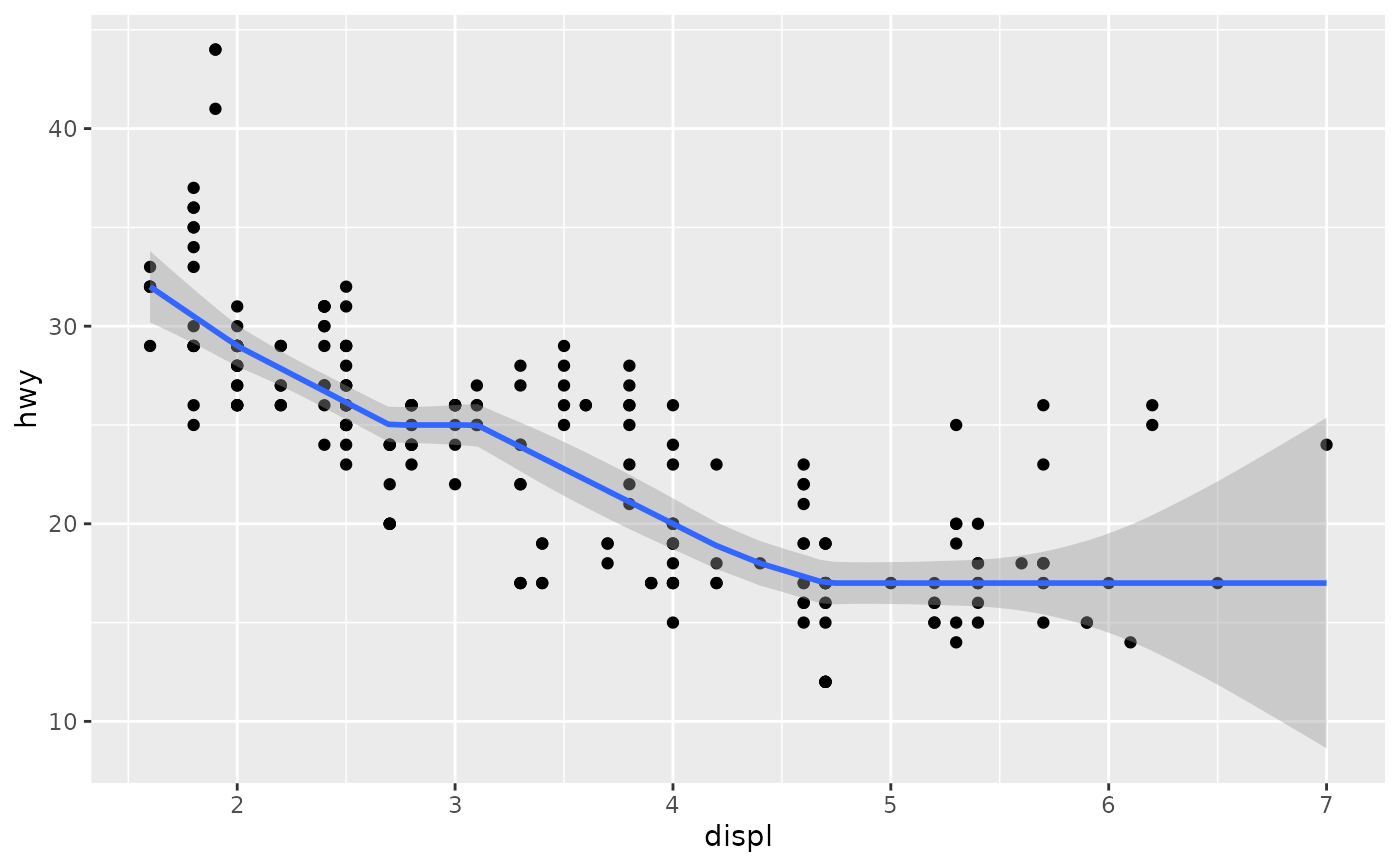
 # Instead of rq() we can use rqss() to fit an additive model:
ggplot(mpg, aes(displ, hwy)) +
geom_point() +
stat_quant_line(method = "rqss",
formula = y ~ qss(x, constraint = "D"),
quantiles = 0.5)
# Instead of rq() we can use rqss() to fit an additive model:
ggplot(mpg, aes(displ, hwy)) +
geom_point() +
stat_quant_line(method = "rqss",
formula = y ~ qss(x, constraint = "D"),
quantiles = 0.5)
 ggplot(mpg, aes(displ, hwy)) +
geom_point() +
stat_quant_line(method = "rqss",
formula = x ~ qss(y, constraint = "D"),
quantiles = 0.5)
ggplot(mpg, aes(displ, hwy)) +
geom_point() +
stat_quant_line(method = "rqss",
formula = x ~ qss(y, constraint = "D"),
quantiles = 0.5)
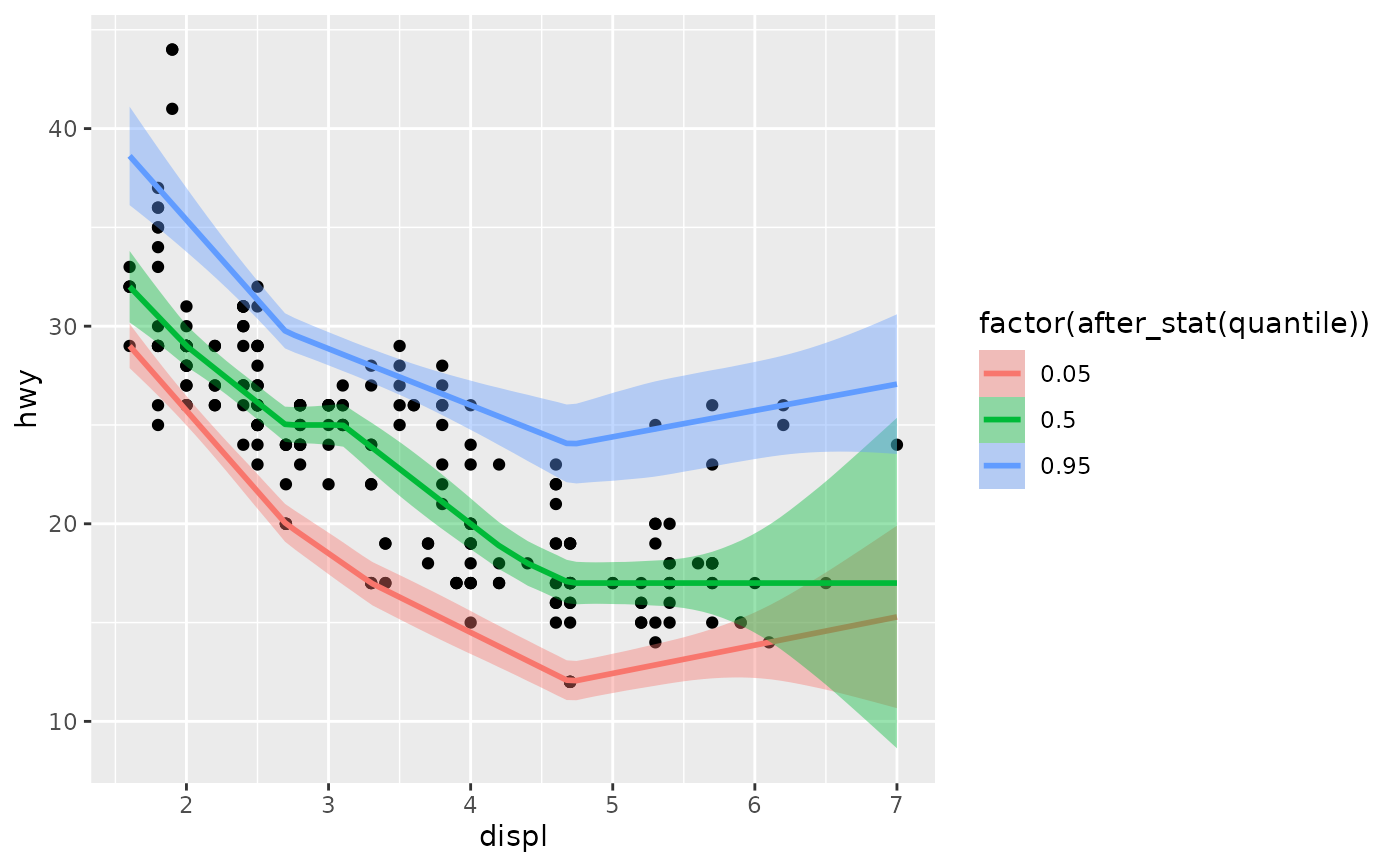
 ggplot(mpg, aes(displ, hwy)) +
geom_point()+
stat_quant_line(method="rqss",
interval="confidence",
se = TRUE,
mapping = aes(fill = factor(after_stat(quantile)),
color = factor(after_stat(quantile))),
quantiles=c(0.05,0.5,0.95))
#> Smoothing formula not specified. Using: y ~ qss(x)
ggplot(mpg, aes(displ, hwy)) +
geom_point()+
stat_quant_line(method="rqss",
interval="confidence",
se = TRUE,
mapping = aes(fill = factor(after_stat(quantile)),
color = factor(after_stat(quantile))),
quantiles=c(0.05,0.5,0.95))
#> Smoothing formula not specified. Using: y ~ qss(x)
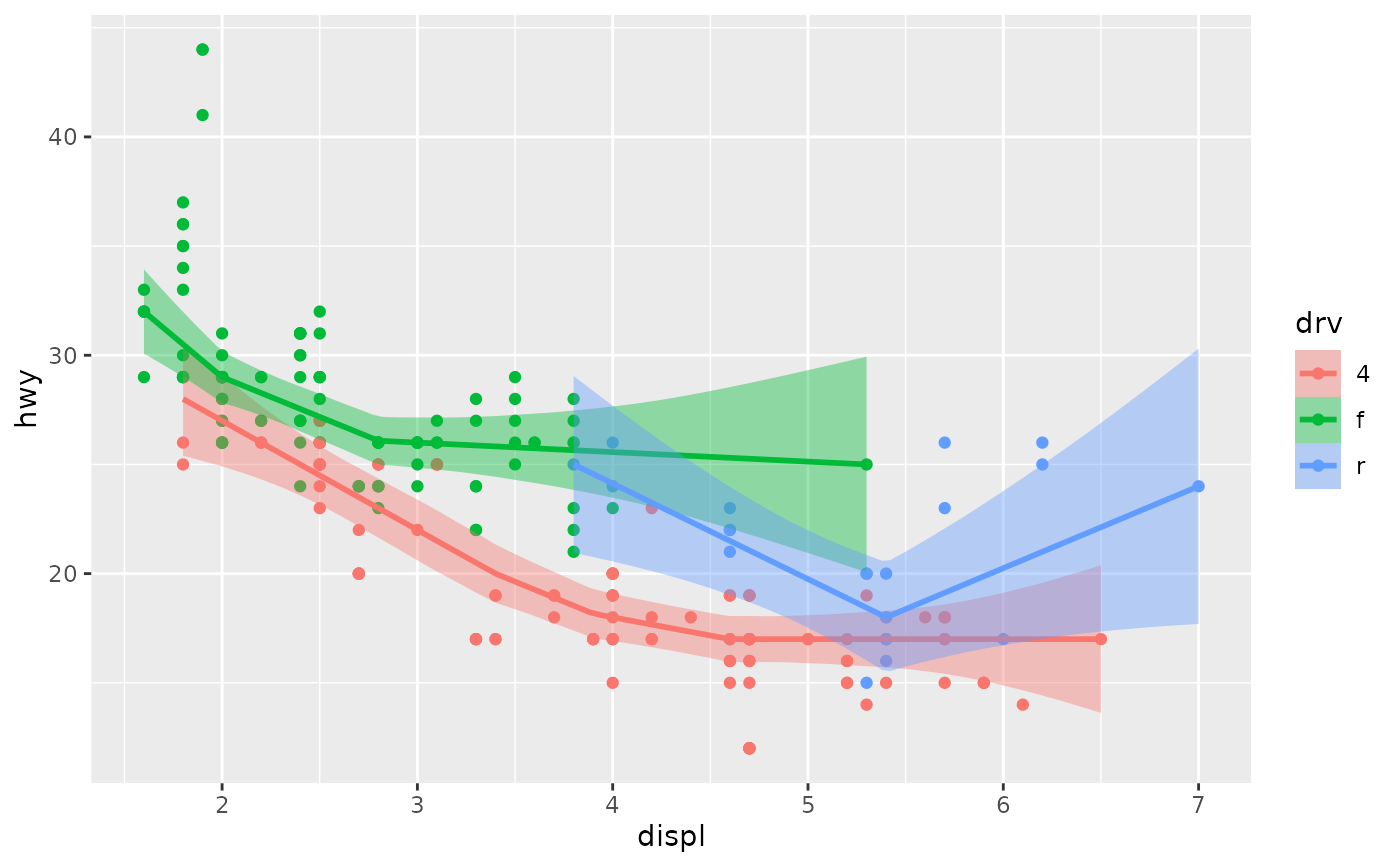
 # Smooths are automatically fit to each group (defined by categorical
# aesthetics or the group aesthetic) and for each facet.
ggplot(mpg, aes(displ, hwy, colour = drv, fill = drv)) +
geom_point() +
stat_quant_line(method = "rqss",
formula = y ~ qss(x, constraint = "V"),
quantiles = 0.5)
# Smooths are automatically fit to each group (defined by categorical
# aesthetics or the group aesthetic) and for each facet.
ggplot(mpg, aes(displ, hwy, colour = drv, fill = drv)) +
geom_point() +
stat_quant_line(method = "rqss",
formula = y ~ qss(x, constraint = "V"),
quantiles = 0.5)
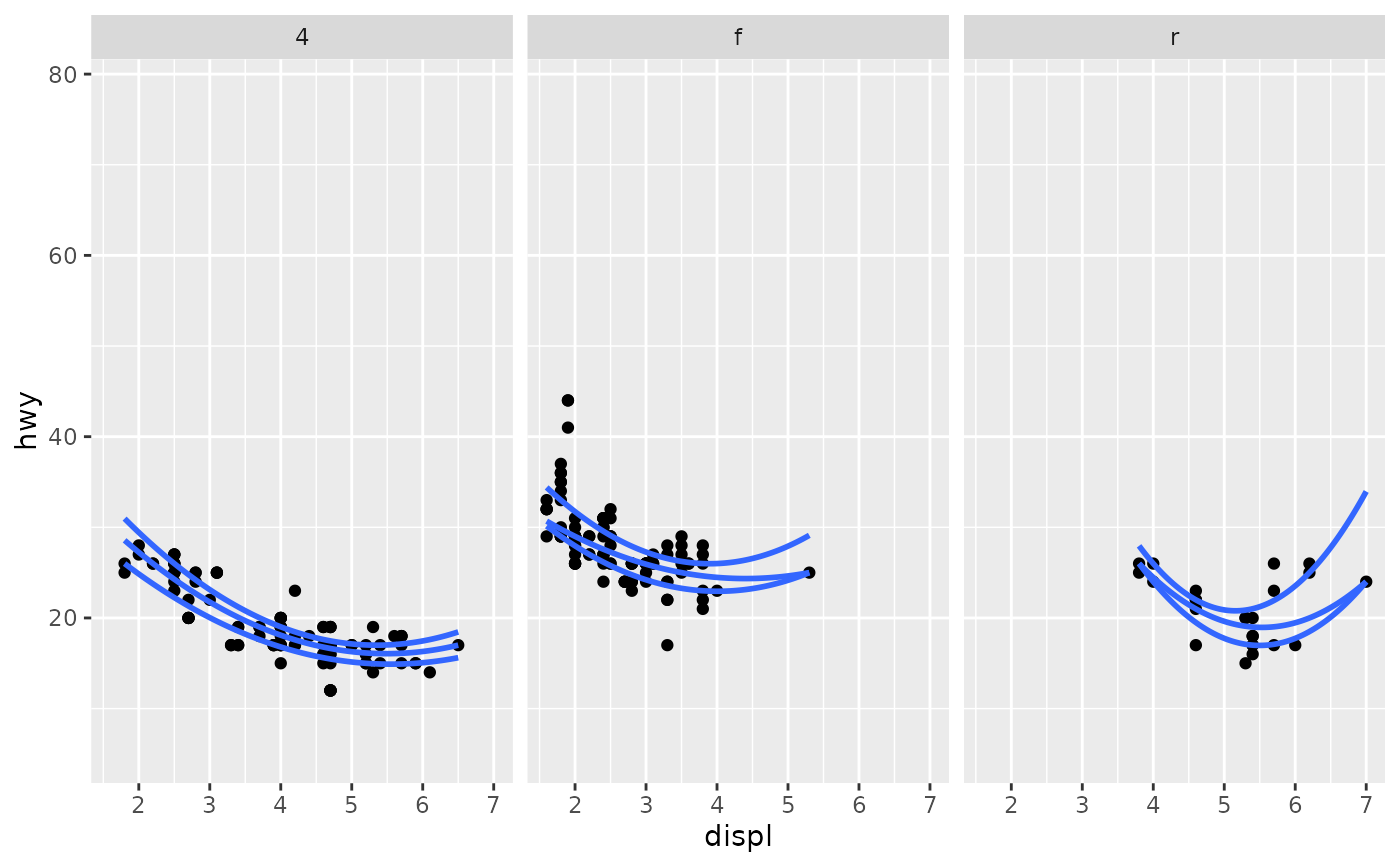
 ggplot(mpg, aes(displ, hwy)) +
geom_point() +
stat_quant_line(formula = y ~ poly(x, 2)) +
facet_wrap(~drv)
#> Warning: 1 non-positive fis
#> Warning: 2 non-positive fis
ggplot(mpg, aes(displ, hwy)) +
geom_point() +
stat_quant_line(formula = y ~ poly(x, 2)) +
facet_wrap(~drv)
#> Warning: 1 non-positive fis
#> Warning: 2 non-positive fis
 # Inspecting the returned data using geom_debug()
gginnards.installed <- requireNamespace("gginnards", quietly = TRUE)
if (gginnards.installed)
library(gginnards)
if (gginnards.installed)
ggplot(mpg, aes(displ, hwy)) +
stat_quant_line(geom = "debug")
# Inspecting the returned data using geom_debug()
gginnards.installed <- requireNamespace("gginnards", quietly = TRUE)
if (gginnards.installed)
library(gginnards)
if (gginnards.installed)
ggplot(mpg, aes(displ, hwy)) +
stat_quant_line(geom = "debug")
 #> [1] "PANEL 1; group(s) -1-0.25, -1-0.5 , -1-0.75; 'draw_function()' input 'data' (head):"
#> group x y quantile ymin ymax quantile.f flipped_aes
#> 1 -1-0.25 1.600000 28.42857 0.25 27.62963 29.40000 0.25 FALSE
#> 2 -1-0.25 1.668354 28.16817 0.25 27.35115 29.12658 0.25 FALSE
#> 3 -1-0.25 1.736709 27.90778 0.25 27.07267 28.85316 0.25 FALSE
#> 4 -1-0.25 1.805063 27.64738 0.25 26.77975 28.32801 0.25 FALSE
#> 5 -1-0.25 1.873418 27.38698 0.25 26.50633 28.06054 0.25 FALSE
#> 6 -1-0.25 1.941772 27.12658 0.25 26.23291 27.79307 0.25 FALSE
#> PANEL orientation
#> 1 1 x
#> 2 1 x
#> 3 1 x
#> 4 1 x
#> 5 1 x
#> 6 1 x
if (gginnards.installed)
ggplot(mpg, aes(displ, hwy)) +
stat_quant_line(geom = "debug", fm.values = TRUE)
#> [1] "PANEL 1; group(s) -1-0.25, -1-0.5 , -1-0.75; 'draw_function()' input 'data' (head):"
#> group x y quantile ymin ymax quantile.f flipped_aes
#> 1 -1-0.25 1.600000 28.42857 0.25 27.62963 29.40000 0.25 FALSE
#> 2 -1-0.25 1.668354 28.16817 0.25 27.35115 29.12658 0.25 FALSE
#> 3 -1-0.25 1.736709 27.90778 0.25 27.07267 28.85316 0.25 FALSE
#> 4 -1-0.25 1.805063 27.64738 0.25 26.77975 28.32801 0.25 FALSE
#> 5 -1-0.25 1.873418 27.38698 0.25 26.50633 28.06054 0.25 FALSE
#> 6 -1-0.25 1.941772 27.12658 0.25 26.23291 27.79307 0.25 FALSE
#> PANEL orientation
#> 1 1 x
#> 2 1 x
#> 3 1 x
#> 4 1 x
#> 5 1 x
#> 6 1 x
if (gginnards.installed)
ggplot(mpg, aes(displ, hwy)) +
stat_quant_line(geom = "debug", fm.values = TRUE)
 #> [1] "PANEL 1; group(s) -1-0.25, -1-0.5 , -1-0.75; 'draw_function()' input 'data' (head):"
#> group x y quantile ymin ymax n fm.method fm.formula
#> 1 -1-0.25 1.600000 28.42857 0.25 27.62963 29.40000 234 rq y ~ x
#> 2 -1-0.25 1.668354 28.16817 0.25 27.35115 29.12658 234 rq y ~ x
#> 3 -1-0.25 1.736709 27.90778 0.25 27.07267 28.85316 234 rq y ~ x
#> 4 -1-0.25 1.805063 27.64738 0.25 26.77975 28.32801 234 rq y ~ x
#> 5 -1-0.25 1.873418 27.38698 0.25 26.50633 28.06054 234 rq y ~ x
#> 6 -1-0.25 1.941772 27.12658 0.25 26.23291 27.79307 234 rq y ~ x
#> fm.formula.chr quantile.f flipped_aes PANEL orientation
#> 1 y ~ x 0.25 FALSE 1 x
#> 2 y ~ x 0.25 FALSE 1 x
#> 3 y ~ x 0.25 FALSE 1 x
#> 4 y ~ x 0.25 FALSE 1 x
#> 5 y ~ x 0.25 FALSE 1 x
#> 6 y ~ x 0.25 FALSE 1 x
#> [1] "PANEL 1; group(s) -1-0.25, -1-0.5 , -1-0.75; 'draw_function()' input 'data' (head):"
#> group x y quantile ymin ymax n fm.method fm.formula
#> 1 -1-0.25 1.600000 28.42857 0.25 27.62963 29.40000 234 rq y ~ x
#> 2 -1-0.25 1.668354 28.16817 0.25 27.35115 29.12658 234 rq y ~ x
#> 3 -1-0.25 1.736709 27.90778 0.25 27.07267 28.85316 234 rq y ~ x
#> 4 -1-0.25 1.805063 27.64738 0.25 26.77975 28.32801 234 rq y ~ x
#> 5 -1-0.25 1.873418 27.38698 0.25 26.50633 28.06054 234 rq y ~ x
#> 6 -1-0.25 1.941772 27.12658 0.25 26.23291 27.79307 234 rq y ~ x
#> fm.formula.chr quantile.f flipped_aes PANEL orientation
#> 1 y ~ x 0.25 FALSE 1 x
#> 2 y ~ x 0.25 FALSE 1 x
#> 3 y ~ x 0.25 FALSE 1 x
#> 4 y ~ x 0.25 FALSE 1 x
#> 5 y ~ x 0.25 FALSE 1 x
#> 6 y ~ x 0.25 FALSE 1 x