Plot Components of a GAM Object
plot.gam.RdA plot method for GAM objects, which can be used on GLM and LM objects as well. It focuses on terms (main-effects), and produces a suitable plot for terms of different types
Usage
# S3 method for class 'Gam'
plot(
  x,
  residuals = NULL,
  rugplot = TRUE,
  se = FALSE,
  scale = 0,
  ask = FALSE,
  terms = labels.Gam(x),
  ...
)

# S3 method for class 'Gam'
preplot(object, newdata, terms = labels.Gam(object), ...)
Arguments
- x
a
Gamobject, or apreplot.Gamobject. The first thingplot.Gam()does is check ifxhas a component calledpreplot; if not, it computes one usingpreplot.Gam(). Either way, it is thispreplot.Gamobject that is required for plotting aGamobject.- residuals
if
TRUE, partial deviance residuals are plotted along with the fitted terms—default isFALSE. Ifresidualsis a vector with the same length as each fitted term inx, then these are taken to be the overall residuals to be used for constructing the partial residuals.- rugplot
if
TRUE(the default), a univariate histogram orrugplotis displayed along the base of each plot, showing the occurrence of eachx; ties are broken by jittering.- se
if
TRUE, upper and lower pointwise twice-standard-error curves are included for each plot. The default isFALSE.- scale
a lower limit for the number of units covered by the limits on the
yfor each plot. The default isscale=0, in which case each plot uses the range of the functions being plotted to create theirylim. By settingscaleto be the maximum value ofdiff(ylim)for all the plots, then all subsequent plots will produced in the same vertical units. This is essential for comparing the importance of fitted terms in additive models.- ask
if
TRUE,plot.Gam()operates in interactive mode.- terms
subsets of the terms can be selected
- ...
Additonal plotting arguments, not all of which will work (like xlim)
- object
same as
x- newdata
if supplied to
preplot.Gam, the preplot object is based on them rather than the original.
Value
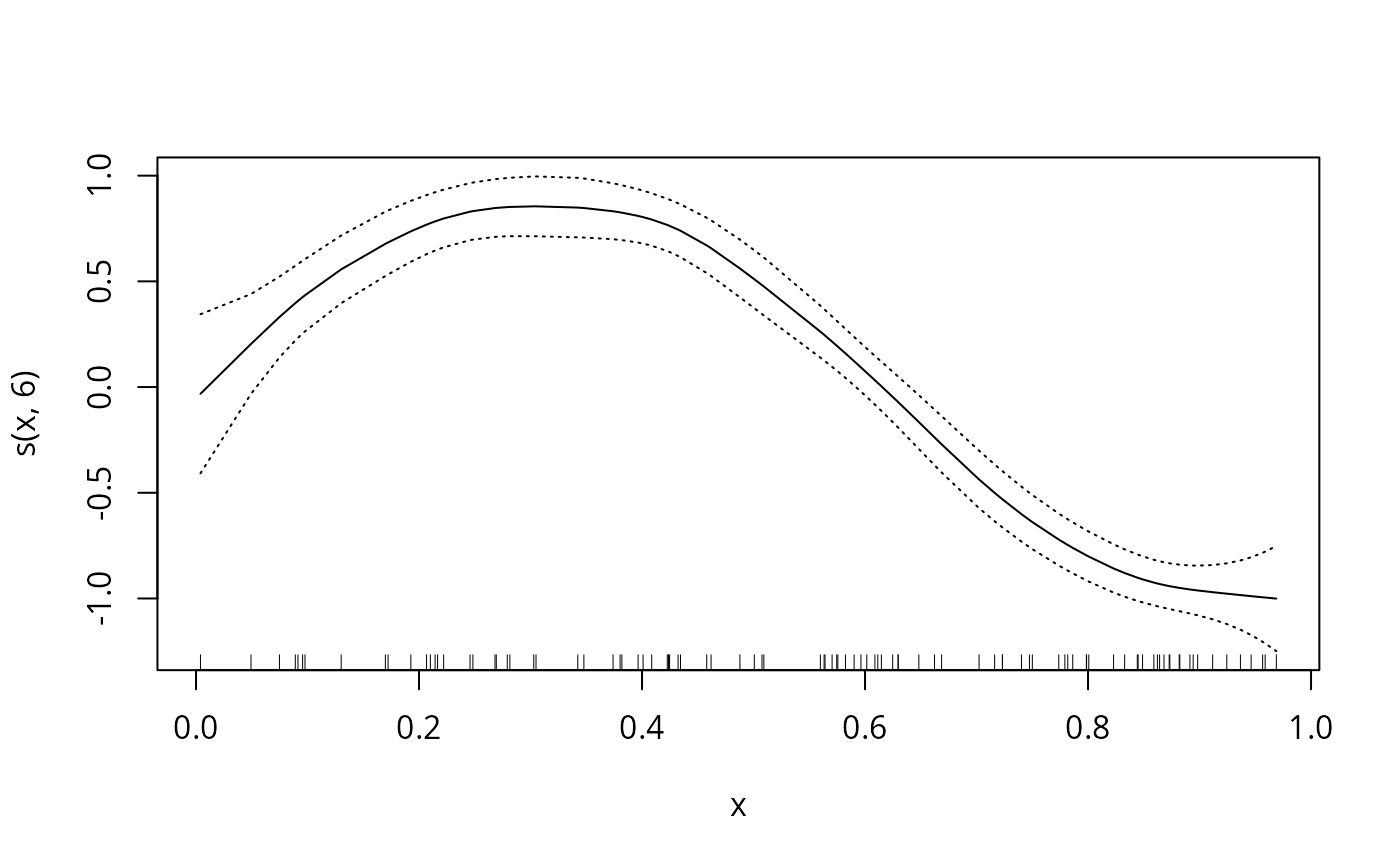
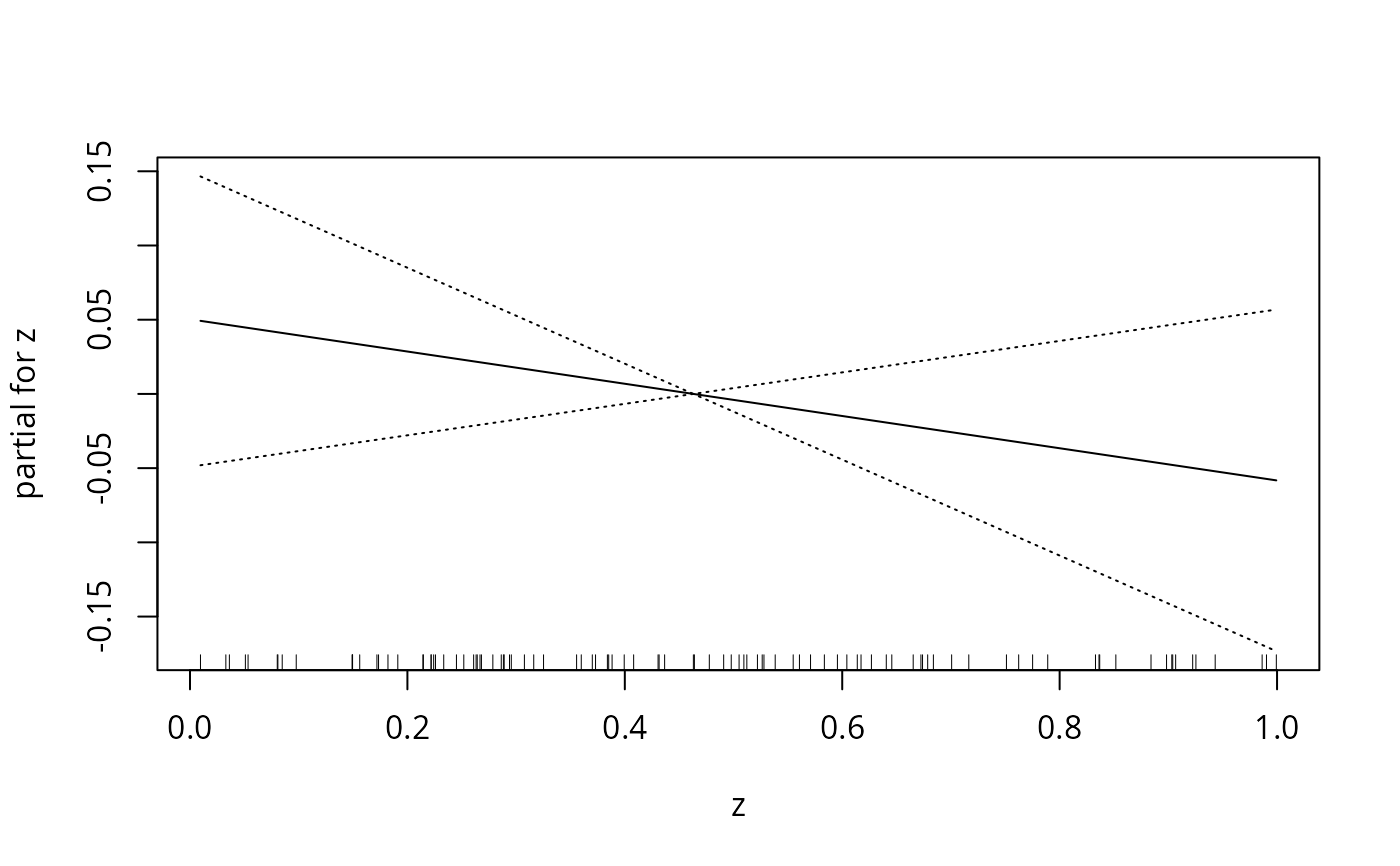
a plot is produced for each of the terms in the object
x. The function currently knows how to plot all
main-effect functions of one or two predictors. So in particular,
interactions are not plotted. An appropriate x-y is produced to
display each of the terms, adorned with residuals, standard-error
curves, and a rugplot, depending on the choice of options. The
form of the plot is different, depending on whether the x-value
for each plot is numeric, a factor, or a matrix.
When ask=TRUE, rather than produce each plot sequentially,
plot.Gam() displays a menu listing all the terms that can be plotted,
as well as switches for all the options.
A preplot.Gam object is a list of precomputed terms. Each such term
(also a preplot.Gam object) is a list with components x,
y and others—the basic ingredients needed for each term plot. These
are in turn handed to the specialized plotting function gplot(),
which has methods for different classes of the leading x argument. In
particular, a different plot is produced if x is numeric, a category
or factor, a matrix, or a list. Experienced users can extend this range by
creating more gplot() methods for other classes. Graphical
parameters (see par) may also be supplied as arguments to this
function. This function is a method for the generic function plot()
for class "Gam".
It can be invoked by calling plot(x) for an object x of the
appropriate class, or directly by calling plot.Gam(x) regardless of
the class of the object.
References
Hastie, T. J. (1992) Generalized additive models. Chapter 7 of Statistical Models in S eds J. M. Chambers and T. J. Hastie, Wadsworth & Brooks/Cole.
Hastie, T. and Tibshirani, R. (1990) Generalized Additive Models. London: Chapman and Hall.
Author
Written by Trevor Hastie, following closely the design in the "Generalized Additive Models" chapter (Hastie, 1992) in Chambers and Hastie (1992).
Examples
data(gam.data)
Gam.object <- gam(y ~ s(x,6) + z,data=gam.data)
plot(Gam.object,se=TRUE)
 data(gam.newdata)
preplot(Gam.object,newdata=gam.newdata)
#> Warning: No standard errors (currently) for gam predictions with newdata
#> $`s(x, 6)`
#> $x
#> [1] 0.1 0.2 0.3 0.4 0.5 0.6 0.7 0.8 0.9 1.0
#>
#> $y
#> 1 2 3 4 5 6
#> 0.44379143 0.75360796 0.85468111 0.80512984 0.51279094 0.07523574
#> 7 8 9 10
#> -0.42622549 -0.80005872 -0.96321574 -1.01594919
#>
#> $se.y
#> NULL
#>
#> $xlab
#> [1] "x"
#>
#> $ylab
#> [1] "s(x, 6)"
#>
#> attr(,"class")
#> [1] "preplot.Gam"
#>
#> $z
#> $x
#> [1] 0.1 0.2 0.3 0.4 0.5 0.6 0.7 0.8 0.9 1.0
#>
#> $y
#> 1 2 3 4 5 6
#> 0.039428080 0.028567775 0.017707471 0.006847166 -0.004013139 -0.014873443
#> 7 8 9 10
#> -0.025733748 -0.036594052 -0.047454357 -0.058314661
#>
#> $se.y
#> NULL
#>
#> $xlab
#> [1] "z"
#>
#> $ylab
#> [1] "partial for z"
#>
#> attr(,"class")
#> [1] "preplot.Gam"
#>
#> attr(,"class")
#> [1] "preplot.Gam"
data(gam.newdata)
preplot(Gam.object,newdata=gam.newdata)
#> Warning: No standard errors (currently) for gam predictions with newdata
#> $`s(x, 6)`
#> $x
#> [1] 0.1 0.2 0.3 0.4 0.5 0.6 0.7 0.8 0.9 1.0
#>
#> $y
#> 1 2 3 4 5 6
#> 0.44379143 0.75360796 0.85468111 0.80512984 0.51279094 0.07523574
#> 7 8 9 10
#> -0.42622549 -0.80005872 -0.96321574 -1.01594919
#>
#> $se.y
#> NULL
#>
#> $xlab
#> [1] "x"
#>
#> $ylab
#> [1] "s(x, 6)"
#>
#> attr(,"class")
#> [1] "preplot.Gam"
#>
#> $z
#> $x
#> [1] 0.1 0.2 0.3 0.4 0.5 0.6 0.7 0.8 0.9 1.0
#>
#> $y
#> 1 2 3 4 5 6
#> 0.039428080 0.028567775 0.017707471 0.006847166 -0.004013139 -0.014873443
#> 7 8 9 10
#> -0.025733748 -0.036594052 -0.047454357 -0.058314661
#>
#> $se.y
#> NULL
#>
#> $xlab
#> [1] "z"
#>
#> $ylab
#> [1] "partial for z"
#>
#> attr(,"class")
#> [1] "preplot.Gam"
#>
#> attr(,"class")
#> [1] "preplot.Gam"